Best Windows Desktop Widget Apps in 2026
Widgets on the Windows desktop used to be a Microsoft feature — and Microsoft gave up on them twice (the Windows 7 sidebar, then Windows 10). Today the good stuff is third-party: small, focused apps that turn the desktop from a staging area into a live dashboard.
This is a 2026-current list of the best desktop widget apps for Windows 10 and 11, covering modern native apps, classic skin engines, and the built-in Widgets Board. Every entry gets a fair treatment — pros, cons, price, and who it is really for.
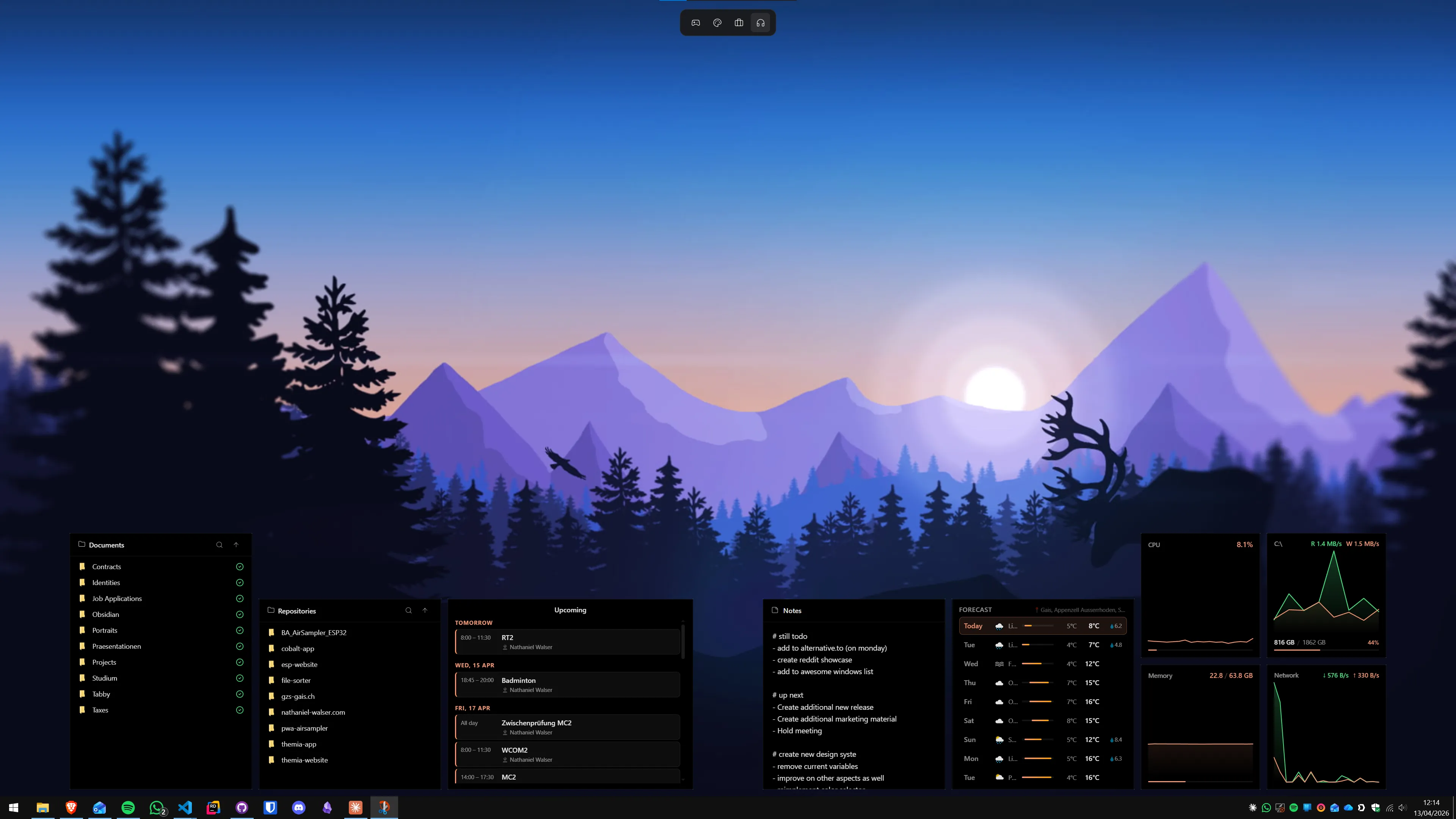
At a glance
- Best overall: Themia
- Best for power users and skinners: Rainmeter
- Best middle ground: XWidget
- Best free option: Rainmeter (tinkerers) or Themia free tier (everyone else)
- Best Windows 7 throwback: 8GadgetPack
- Best official option: Windows 11 Widgets Board (panel-based)
The best Windows desktop widget apps in 2026
Themia
Best overallA native, modern widget workspace that gets out of your way.
Themia is the one I would recommend to someone who just wants desktop widgets to work in 2026. It is a native Windows app (Tauri-based, under 10 MB), ships with widgets for files, email, calendar, weather, system stats, stocks, music, notes, to-do, RSS, GitHub, and battery, and lets you switch between per-screen layouts for different contexts (work, personal, focus).
No config files, no skin downloads. You add a widget by clicking "Add widget" and drag it where you want. Every widget shares the same design language, so a finished setup looks designed, not decorated.
Pros
- Visual editor — no INI or Lua
- Unified look across every widget
- Small, fast, native
- OAuth integrations (M365, GitHub)
- Per-screen switchable layouts
Cons
- No third-party widget marketplace yet
- Less raw flexibility than Rainmeter
Rainmeter
For tinkerersUnmatched flexibility if you enjoy the customization process itself.
Rainmeter is the original — free, open source, almost twenty years old, and still the standard for people who want total control. It is a rendering engine for "skins" described in config files; the real widget ecosystem lives in the community, and it is enormous. If you have seen an incredible Reddit desktop setup, it was probably Rainmeter.
The catch is that Rainmeter expects you to be the builder. Downloading, editing, and combining skins is part of the deal.
Pros
- Free and open source
- Limitless flexibility
- Enormous skin community
Cons
- Steep learning curve
- Aesthetic is only as good as the skins you pick
- No modern OAuth integrations (email, calendar)
Deep dive: Themia vs Rainmeter.
XWidget
Middle groundA visual widget designer with a long history and a large community gallery.
XWidget tries to land between Rainmeter (power users) and modern native apps (everyone else). It has a built-in visual widget designer, a free community gallery, and a paid Pro tier. The aesthetic is inconsistent because every community author has their own taste — but the flexibility is real.
Pros
- Visual designer
- Broad community widget library
- Works on Windows 7 through 11
Cons
- Inconsistent visual quality
- UI feels dated
- Pro upgrade required for some features
Deep dive: Themia vs XWidget.

Windows 11 Widgets Board
Built-inMicrosoft's own take — but behind a button, not on the desktop.
Click the little widgets icon on the left side of the Windows 11 taskbar and a panel slides open with weather, a calendar, traffic, sports, and an MSN news feed. It is free, tied to your Microsoft account, and adds zero install overhead. It also is not really a desktop widget experience — the widgets live in a pop-out, not on the wallpaper.
Pros
- Zero install
- Microsoft 365 just works
- Free forever
Cons
- Lives in a panel, not on the desktop
- MSN feed is hard to remove
- Very small widget catalog
Deep dive: Themia vs Windows 11 Widgets.
8GadgetPack
Win7 revivalThe most direct route back to Windows 7 sidebar gadgets on modern Windows.
8GadgetPack (rebranded GadgetPack in 2024) patches Windows 10/11 to re-enable the deprecated Windows 7 gadget platform and ships 50+ classic gadgets on top of it — clock, weather, CPU meter, RSS, calendar. It is free and works exactly like you remember. The aesthetic is unapologetically 2009.
Pros
- Free
- Dozens of classic gadgets bundled
- Authentic Windows 7 feel
Cons
- Dated design
- Relies on a deprecated platform
- No OAuth / modern service widgets
Deep dive: Themia vs 8GadgetPack.
Widget Launcher
Microsoft StoreA modernized gadget-style widget app available directly from the Microsoft Store.
Widget Launcher is a commercial widget app with a free tier (ads-supported) and a paid tier. It takes the Windows 7 gadget idea and updates the UI to something more palatable on modern Windows. Its widget catalog is narrower than Themia's but broader than 8GadgetPack's.
Pros
- One-click Microsoft Store install
- More modern UI than Win7 gadgets
- Free tier available
Cons
- Free tier shows ads
- Smaller widget catalog
Deep dive: Themia vs Widget Launcher.
Stardock Fences (honorable mention)
Icons, not widgetsNot a widget app, but it answers the same "my desktop is wasted space" complaint.
Fences organizes desktop icons into labeled, scrollable containers ("fences") with auto-sort rules and folder portals. It does not provide live widgets, so if live data is what you want, skip to the entries above — but if your problem is "I cannot find anything on my desktop," Fences is the right tool. Many people run Fences alongside a widget app like Themia.
Pros
- Best-in-class icon organization
- Folder portals
- Very polished
Cons
- No live widget content
- Paid
Deep dive: Themia vs Stardock Fences.

Which widget app should you pick?
The short version:
- You want widgets that work out of the box and look great → Themia.
- You enjoy the building process and want total control → Rainmeter.
- You want to design your own widgets visually → XWidget.
- You only want a quick weather-and-calendar glance → the built-in Windows 11 Widgets Board.
- You miss Windows 7 gadgets specifically → 8GadgetPack or Widget Launcher.
- Your real problem is desktop icons, not widgets → Stardock Fences.
FAQ
What are desktop widgets on Windows?
Desktop widgets are small, always-visible panels that sit on your Windows desktop and show live information — weather, a calendar, CPU usage, a folder, a playlist — without requiring you to open an app. Modern apps like Themia, XWidget, and Rainmeter all implement this idea differently.
Does Windows 11 have built-in desktop widgets?
Windows 11 ships with a Widgets Board, but it lives in a pop-out panel from the taskbar — not on the desktop itself. To put widgets directly on the desktop you need a third-party app like Themia, Rainmeter, or XWidget.
What is the best desktop widget app for Windows 11?
There is no one-size-fits-all answer, but Themia is our pick for most people in 2026: it is native, lightweight, has a visual editor, ships with widgets for the things most people actually want, and has a free tier. Rainmeter is the best choice if you enjoy building your desktop from scratch. XWidget sits between the two.
Are there free Windows desktop widget apps?
Yes. Themia has a free tier, Rainmeter is free and open source, 8GadgetPack is entirely free, and Widget Launcher has a free (ad-supported) tier on the Microsoft Store. The built-in Windows 11 Widgets Board is also free.
Will desktop widget apps slow down my PC?
Well-built widget apps have negligible impact. Themia is a native Tauri app under 10 MB. Rainmeter is very lightweight on its own. Performance issues usually come from individual community skins or widgets that query hardware or the internet constantly — not from the apps themselves.
Do desktop widget apps work on Windows 10?
Every app in this list works on both Windows 10 and Windows 11. The built-in Widgets Board is Windows 11 only.