Ricing Windows: The 2026 Desktop Rice Guide
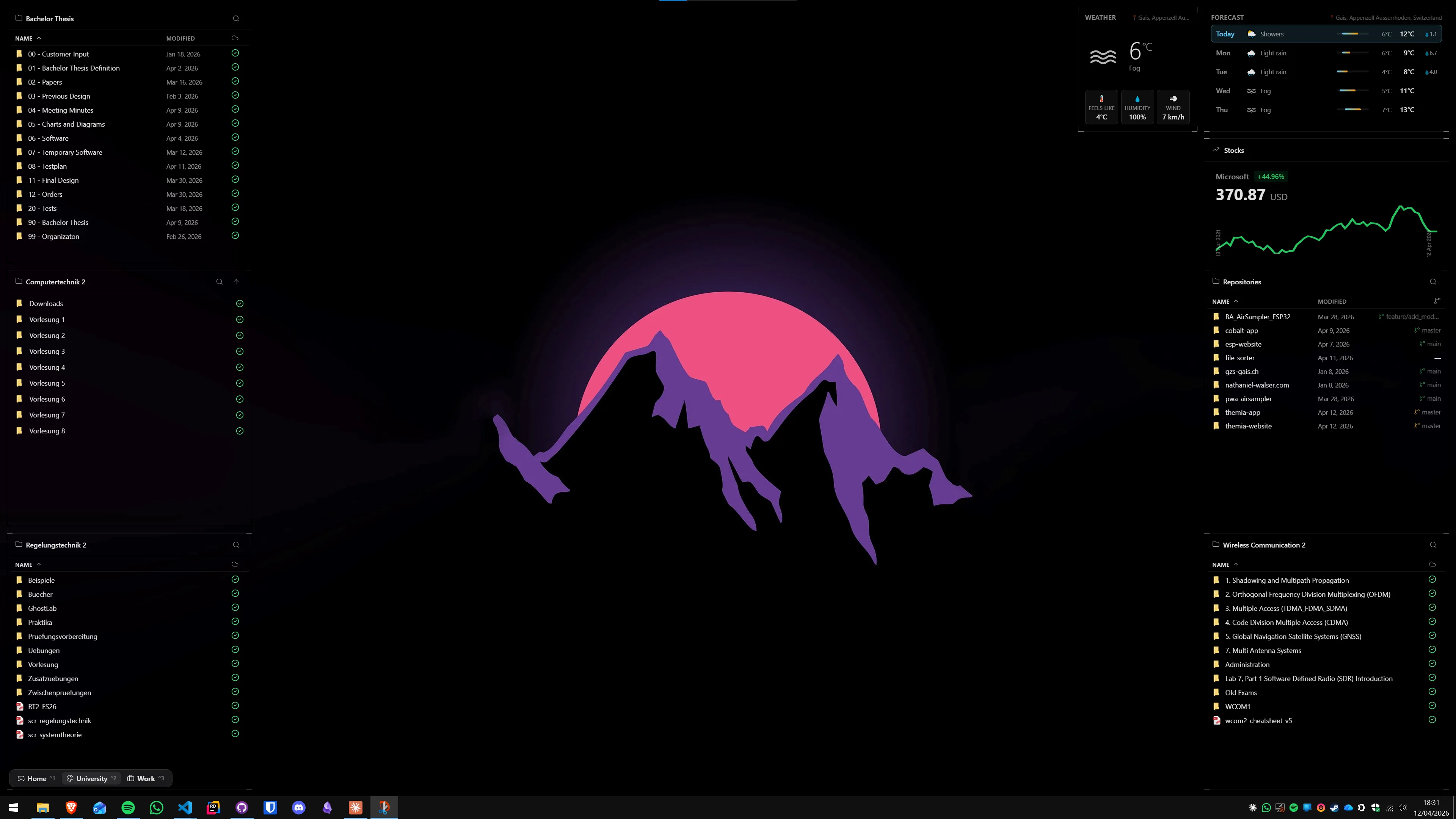
Scroll r/unixporn for ten minutes and you will see desktops so carefully assembled they look like screenshots from a video game. A translucent panel of system stats in the corner. A clock in a typeface you half-recognize from a terminal theme. A wallpaper that somehow shares a color with every widget on top of it. This is ricing, and it is one of the oldest traditions in desktop computing.
Most of the best-known rices live on Linux — tiling window managers like Hyprland and AwesomeWM give you absurd control over every pixel. But a surprising share of front-page rices on r/unixporn are Windows desktops, built on Rainmeter and Wallpaper Engine and a handful of shell tweakers. Windows ricing is smaller than the Linux scene, but it has its own twenty-year history and its own look.
This guide covers what ricing means, the stack of tools the Windows community converges on in 2026, a thirty-minute starter rice, where modern widget apps fit in, the community itself, and the mistakes almost everyone makes the first time.
What "ricing" actually means
The word has a weird origin. In early-2000s car modding forums, a "rice burner" was a cheap import covered in plastic body kits and loud paint — style without substance. The insult crossed over to Linux communities around the same time, aimed at people who spent weekends theming their desktop instead of using it.
The scene reclaimed the word. By the time r/unixporn hit its stride in the early 2010s, "ricing" just meant the craft itself: building a desktop where every element — wallpaper, panel, terminal, file manager, icons, cursor, fonts — agreed on a single aesthetic. It is now how the community describes what it does.
Windows came to the scene later. r/unixporn spent years arguing whether Windows desktops counted (they do — the sub has accepted them since roughly 2014), and Windows rices now routinely trend there. The tooling is different — no tiling window manager, no config-file-driven panel — but the philosophy is the same. Pick a palette. Pick a wallpaper. Make everything else agree.
The Windows ricing stack
The 2026 Windows rice converges on a fairly small set of tools. You do not need all of them. Most good rices use three or four. Here is the full stack, in rough order of how essential each piece is.
1. Rainmeter — the engine
Rainmeter is the single most important tool in Windows ricing, full stop. It is free, open source, and has been the backbone of the scene for close to twenty years. It is not really a widget app — it is a rendering engine that can draw almost anything described in a config file. Clocks, system meters, audio visualizers, weather displays, music players, HUDs, chart overlays — if you have seen it in a rice, it is almost certainly a Rainmeter skin. See our Themia vs Rainmeter comparison for a deeper look at how it compares to modern widget apps.
You install Rainmeter, then install "skins" — the actual widgets, packaged as config files — on top of it. A single rice usually loads one or two skin suites.
2. A skin pack
Skins are where the actual look lives. In 2026 a few suites dominate:
- Mond — minimalist, typography-forward, one of the most-forked skin packs of the last five years. Clean sans-serif type and a lot of negative space. Very compatible with pastel palettes like Catppuccin.
- LIM!T — denser and more information-heavy, with grid-aligned stat panels and a slightly "terminal dashboard" feel. Popular with people who want their rice to look like a control room.
- Simplify — a long-running pack that leans into a flat-Material look. Fewer moving parts, easy to customize.
- Droptop Four — closer to a full desktop environment than a skin pack. It adds a top bar, an app launcher, a file browser, and a theming system. If you want the most "Linux-like" feel on Windows, Droptop is usually the answer.
The honest truth is that picking a skin pack is most of the decision. Everything else in your rice will end up matching it.
3. Wallpaper Engine — animated backgrounds
Almost every trending rice on r/unixporn in 2026 has an animated wallpaper underneath it. That is almost always Wallpaper Engine on Steam — around $4 on sale, with a Workshop catalog that has crossed five million scenes. Our Themia vs Wallpaper Engine post covers it in detail. The free alternative is Lively Wallpaper (open source, handles videos and web pages, slightly less polish).
A good rice wallpaper does one job: it sits quietly enough that your widgets are readable on top of it. Loud, busy scenes break the rice.
4. TranslucentTB — transparent taskbar
TranslucentTB is a small free app that makes the Windows taskbar transparent or acrylic. In almost every serious rice the taskbar is either invisible, blurred, or color-matched to the wallpaper. The stock Windows 11 taskbar is too opaque and too visually heavy to coexist with a designed wallpaper. See our Themia vs TranslucentTB post for the background.
5. A color theme, applied everywhere
The signature move of a real rice is that the same palette runs through every app you open, not just the desktop. This is where the Catppuccin, Nord, Tokyo Night, gruvbox, and Dracula families come in. They started as terminal color schemes and spread outward — now they have ports for:
- VS Code (official extensions for all five)
- Windows Terminal (drop-in JSON color schemes)
- Firefox and Chrome (userChrome.css themes and Stylus userstyles)
- Discord (via Vencord or BetterDiscord)
- Notion, Obsidian, Spotify (Spicetify)
- Rainmeter skin packs (Mond ships a Catppuccin variant, LIM!T has all four)
Pick one palette and apply it to every app you open more than once a day. That single discipline — not the skin pack, not the wallpaper — is what separates a rice from a desktop that "has some widgets."
6. MacType — font rendering (optional)
MacType is a third-party font renderer that replaces Windows' default anti-aliasing with something closer to macOS-style rendering. It is divisive — some people find it essential, others think Windows' ClearType is already fine — but if you have ever thought "Windows text just looks harsher than my Mac," this is why, and MacType fixes it. Install with care; it hooks system font rendering and occasionally fights with specific apps.
7. Shell tweakers — polish the last mile
The Windows shell itself — the right-click menu, File Explorer, the Start menu — resists theming harder than any other surface. A few tools have cracked it:
- Nilesoft Shell — replaces the right-click context menu with a fully themable, scriptable alternative. Free and actively maintained.
- ExplorerPatcher — restores Windows 10-era File Explorer and taskbar behavior on Windows 11. Popular with people who dislike the Windows 11 redesign. Microsoft occasionally breaks it with feature updates; check the GitHub before installing.
- Rectify11 — a broader set of Windows 11 visual tweaks and component replacements. More ambitious and slightly less stable.
- StartAllBack / Start11 — Start menu replacements. Less "rice" and more "productivity," but they round out the aesthetic.

A starter rice in thirty minutes
Here is the shortest path from stock Windows to something you would not be embarrassed to post. Set aside half an hour. Do these steps in order.
Step 1: Pick a palette (2 minutes)
Open the Catppuccin, Nord, and Tokyo Night project pages and stare at the color swatches. Pick the one you react to fastest. Do not overthink this — you can always rebuild the rice around a different palette later, and your first rice will teach you which colors you actually live with well.
For a first rice I recommend Catppuccin Mocha. It is the most-ported palette on the planet, every tool in this guide has a Mocha variant, and its purples and pinks play nicely with almost any wallpaper.
Step 2: Find a wallpaper (5 minutes)
Search "Catppuccin Mocha wallpaper" on the Wallpaper Engine workshop, r/wallpaper, or Unsplash. You want something that is mostly dark, has low contrast, and shares one accent color with your palette. Mountains, foggy forests, pixel art cityscapes, and abstract gradients all work. Midjourney-generated wallpapers are extremely common now — the community has a quiet love-hate thing with them, but they will serve.
If you are going to use Wallpaper Engine anyway, skip ahead and pick an animated scene. If you are keeping it free, grab a static PNG.
Step 3: Install Rainmeter and a skin pack (10 minutes)
Install Rainmeter from rainmeter.net. It will drop some demo skins on your desktop the first time you open it — unload all of them so you start from a clean state.
Now install Mond. The official release is on GitHub; download the .rmskin file, double-click it, and Rainmeter will install it. Mond ships several variants; pick the Catppuccin Mocha variant (or the default and re-theme it yourself later).
Turn on the modules you want — clock, system meters, music player, weather. Hide the ones you do not. Most Mond variants have a single "Settings" skin that toggles every module from one place.
Step 4: Place your widgets (5 minutes)
Drag Rainmeter skins into position. Rules of thumb:
- Leave the middle of the screen empty. Widgets live in corners and along the edges.
- Align everything to an invisible grid. If one skin sits 20 pixels from the edge, every skin sits 20 pixels from the edge.
- Group related widgets. Clock and date live together; CPU and GPU meters live together; music and volume live together.
- Less is more. Three well-placed widgets looks better than eight cramped ones.
Step 5: Transparent taskbar (2 minutes)
Install TranslucentTB from the Microsoft Store or GitHub. Set it to "Acrylic" mode with low opacity. The taskbar should now blur into your wallpaper instead of sitting on top of it as a solid black bar.
Step 6: Optional polish (5 minutes)
If you have Wallpaper Engine, install and pick an animated scene that matches your palette. If you want a themed right-click menu, install Nilesoft Shell and apply a Catppuccin Mocha theme from its config repo. Stop here — do not install shell tweakers and font renderers on the same day.
That is a first rice. Live with it for a week before you change anything. Half the skill of ricing is resisting the urge to rebuild before you know what does not work.
The other path: modern widget apps
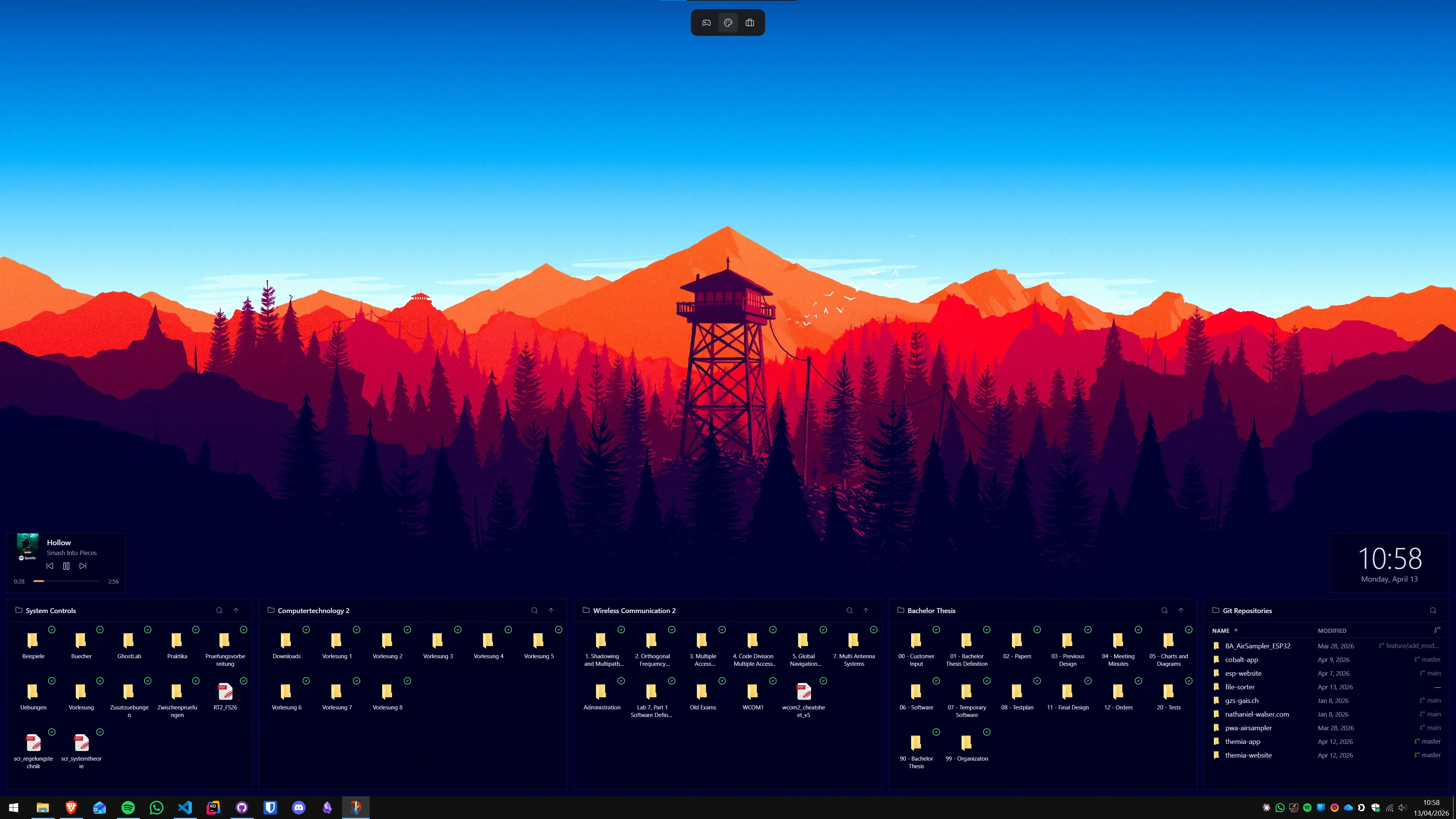
There is a parallel world to ricing that deserves honest treatment: modern native widget apps, built on toolkits like Tauri, that ship a coherent designed system out of the box. Themia is one of them. It is what you install if you want a desktop that looks designed without spending a weekend building it.
These apps are not a replacement for ricing. Ricing is a craft — the value is partly in the finished desktop and partly in the building of it. You pick every pixel. You trade hours for uniqueness. The result is yours in a way nothing out-of-the-box can match. r/unixporn is the community that invented this and nothing here is going to replace Rainmeter for the people who love that process.
A native widget app is the opposite bet. One team makes every widget, they share a design language, you click "Add widget" and you are done. It is polished but generic — you get their aesthetic, not yours. For people who want their desktop to look reasonable without becoming a hobby, that is the right trade. For people whose joy is in the building, it is not.
Both can be right. If you are reading a ricing guide, you probably want the second kind. If someone in your life asked how to make their desktop nicer without a weekend project, send them to the first kind — our general customization guide covers that angle, and our Rainmeter alternatives post runs through the main native widget apps.
Where the community lives
Ricing is a community hobby. The desktop is the artifact, but most of the value is posting, looking at other people's work, and stealing ideas. The main hubs in 2026:
- r/unixporn — the front door of the entire scene, Linux and Windows both. The top-voted Windows rices of the last year are almost all Rainmeter-heavy, with a handful of Droptop Four builds and a surprising number of retro-aesthetic posts (Windows 98 revivals, terminal-themed desktops, CRT-style wallpapers).
- r/rainmeter — where people share skins, debug INI files, and ask for help with specific skin packs. Smaller than r/unixporn but more Windows-focused.
- DeviantArt — the historical archive. Most Rainmeter skin packs from 2008-2018 still live there and nowhere else. Navigation is rough but the back catalog is worth it.
- YouTube desktop tour channels — search "Windows 11 rice 2026" or "Rainmeter showcase." A handful of creators post monthly walk-throughs with links to every skin they used.
- Individual skin-pack Discords — Mond, Droptop, and LIM!T all have their own servers where development and support happen. This is where you go when you actually want to modify a skin rather than just use it.
If you post your first rice, post it to r/unixporn with a "Setup Info" comment listing every tool and wallpaper source. That is the convention. People will ask otherwise and you will spend an afternoon replying.
Mistakes almost everyone makes
Ricing has its own predictable failure modes. Most of them are about chasing images instead of building something you actually use.
Building for screenshots, not for use
It is very easy to assemble a desktop that photographs beautifully and is unusable as an actual workspace. Tiny type for the sake of the aesthetic, zero-contrast widgets on a busy wallpaper, a clock hidden behind your browser window. Ask yourself, before every design decision, whether you could read this at 2 a.m. with a headache. A rice that you cannot use is not a rice; it is set decoration.
Combining skins from three different authors
This is the most common first-rice mistake. You find a gorgeous clock skin, a separate system-meter skin, and a third music widget, each from a different author with its own typography and color choices. Individually they are all stunning. Together they look like three windows from three different apps stacked on the same wallpaper. Commit to one skin suite. If you want variety later, fork the suite and theme its parts yourself.
Skins that eat your CPU
Rainmeter itself is light. Some individual skins are not. A network monitor that pings every 200 ms, a CPU graph that samples every frame, an audio visualizer doing FFT at 120 Hz — these are real and they add up. If your laptop fans spin up after a rice session, open Rainmeter's "Manage" dialog and raise the update rate on every meter to at least 1000 ms. Nothing on your desktop needs to update faster than once per second.
Reinstalling Windows because you broke it
Shell tweakers (ExplorerPatcher, Rectify11) modify system components that Windows Update occasionally changes underneath them. If you update Windows and your File Explorer crashes on launch, it is almost always because a shell tweaker is mismatched with the new build. Uninstall the tweaker, update Windows fully, then reinstall the tweaker from a current release. This is annoying but it is not "my Windows is broken." Create a System Restore point before every shell tweaker install and you can always back out.
Designing before copying
If this is your first rice: do not design your own. Pick a setup you see on r/unixporn, replicate it as closely as you can, and live with it for a month before you start making it your own. Everyone who builds an original rice first builds five derivative ones first. Skipping that step is how you end up with a desktop that looks like a tutorial page.
Beginner advice
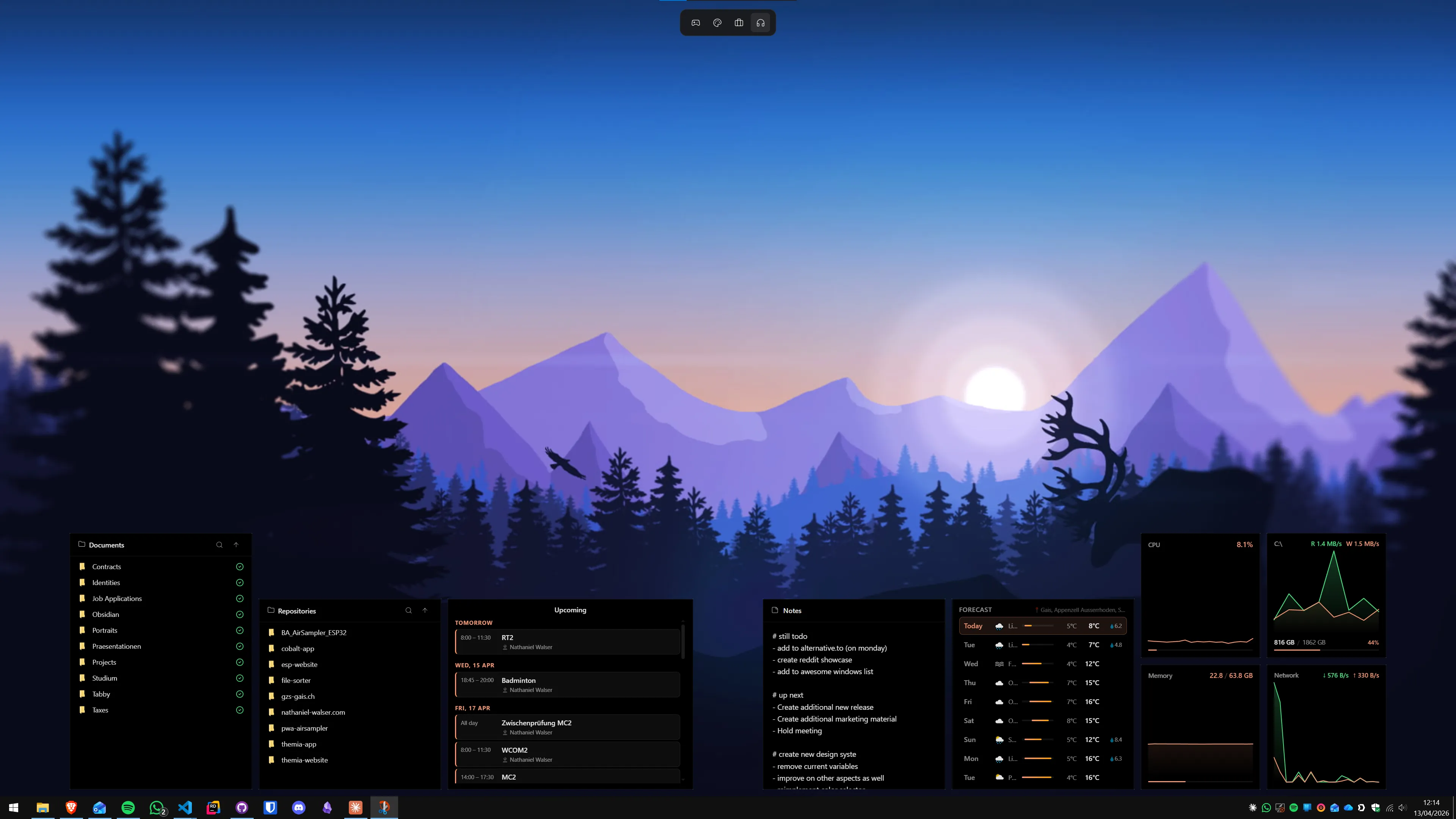
A few things I wish someone had told me before I started ricing Windows:
- Copy before you design. Your first rice should be a deliberate reproduction of one you saw and liked. Pick the post, read the tool list in the comments, install the same things, and try to match the screenshot. You will learn more from one faithful copy than from three half-original attempts.
- Pick the palette first. Wallpaper, skin pack, taskbar color, VS Code theme, terminal theme — all of it comes from the palette. Starting anywhere else means backtracking.
- Keep a "clean" baseline. Before you start a heavy rice, create a Windows restore point and note which apps you currently use. If the rice starts eating your evenings and you stop getting work done, you can roll back fast.
- Finish before you perfect. A rice that is 80% done and on your screen teaches you more than a rice that is 100% done in your head. Ship the first version. Live with it. Iterate.
- Screenshots last. Work first. Take the screenshot the day you finish the rice, then close r/unixporn and actually use the thing for a while before you post anything.
Ricing is one of the few hobbies where the tool you build spends ten hours a day in your face. That is the argument for it — and also the argument for not letting it eat every weekend forever. Build the thing, enjoy the thing, then go use the thing.
FAQ
What does "ricing" mean in desktop customization?
Ricing is the practice of deeply customizing a desktop environment so it reflects a coherent personal aesthetic — wallpaper, widgets, fonts, window chrome, terminal, even the file manager, all tuned to match. The word started on Linux forums in the 2000s (borrowed from the car modding slang "rice burner") and now applies to any platform where people post their polished desktops. On Windows it means Rainmeter skin packs, a transparent taskbar, a matching color palette, and usually an animated or carefully chosen wallpaper.
Is ricing on Windows worth it, or should I just use Linux?
You can rice either one. Linux (specifically window managers like Hyprland, AwesomeWM, or i3) gives you more raw control — every pixel is a config line. Windows gives you a stack that the rest of your life already runs on. The Windows rice community is smaller than r/unixporn's Linux side but very real: Rainmeter skins, Wallpaper Engine animations, and shell tweakers like Nilesoft Shell and ExplorerPatcher let you build a desktop that looks as good as the Linux setups you see trending. If you already use Windows, rice Windows.
Do I need Rainmeter to rice my Windows desktop?
Almost every highly-voted Windows rice on r/unixporn uses Rainmeter, so the honest answer is "basically yes, if you want that specific look." Rainmeter is the engine every serious skin pack (Mond, LIM!T, Simplify, Droptop) runs on, and nothing else on Windows matches its flexibility. If you want a cleaner, designed-as-one-piece desktop and do not care about matching a particular Reddit aesthetic, modern widget apps like Themia are a different path to a nice-looking result — but they are not really "ricing" in the community sense.
Which color theme should I pick for my first rice?
Catppuccin, Nord, Tokyo Night, gruvbox, and Dracula are the five palettes everyone uses in 2026, and picking any of them is a defensible choice. Catppuccin is the most popular right now — it has ports for almost every app you will want to theme, from VS Code to Discord to Rainmeter skins. Nord is the safe, calm choice. Tokyo Night is warmer and more saturated. Try Catppuccin Mocha first; if it feels too busy, switch to Nord.
Will ricing my desktop slow down my PC?
Not if you pick good tools. Rainmeter itself is lightweight, TranslucentTB is a few MB of RAM, and modern shell tweakers barely register. The usual culprits are animated wallpapers running 4K video loops in the background (Wallpaper Engine can eat real GPU if you pick a heavy scene) and badly-written Rainmeter skins that poll CPU or network every 100ms. If your fans spin up after you install a rice, suspect the wallpaper first and the skin pack second.
Where do people post their Windows rices?
r/unixporn is the main hub — yes, despite the "unix" in the name, Windows rices are welcome there and the top ones often hit the front page. r/rainmeter is where people share and debug skins specifically. DeviantArt is the historical archive where most older Rainmeter skin packs still live. YouTube has a surprisingly deep bench of desktop-tour channels (search "Windows 11 rice" or "Rainmeter showcase"). Discord servers for individual skin packs (Mond, Droptop) are where the active development conversations happen.