Themia vs ModernFlyouts: Native Windows Polish
If you have ever nudged the volume key and winced at the chunky gray bar that still slides in from the top-left of the screen — yes, the one that has looked the same since Windows 8 — you are the target audience for ModernFlyouts. It is a small, free, open-source utility that replaces Windows' aging system flyouts (volume, brightness, media controls, caps lock, airplane mode) with Fluent-design redesigns that actually look like they belong in Windows 11.
Themia is sometimes mentioned alongside ModernFlyouts because both are "polish" apps for Windows. But they target completely different surfaces. ModernFlyouts reskins the transient popups Windows shows when you press a hardware key. Themia fills the desktop with persistent widgets. Different problems, different tools, and they run beautifully together.

The short version
- ModernFlyouts replaces Windows' built-in system flyouts with Fluent-design versions: volume, media, brightness, caps/num lock, airplane mode.
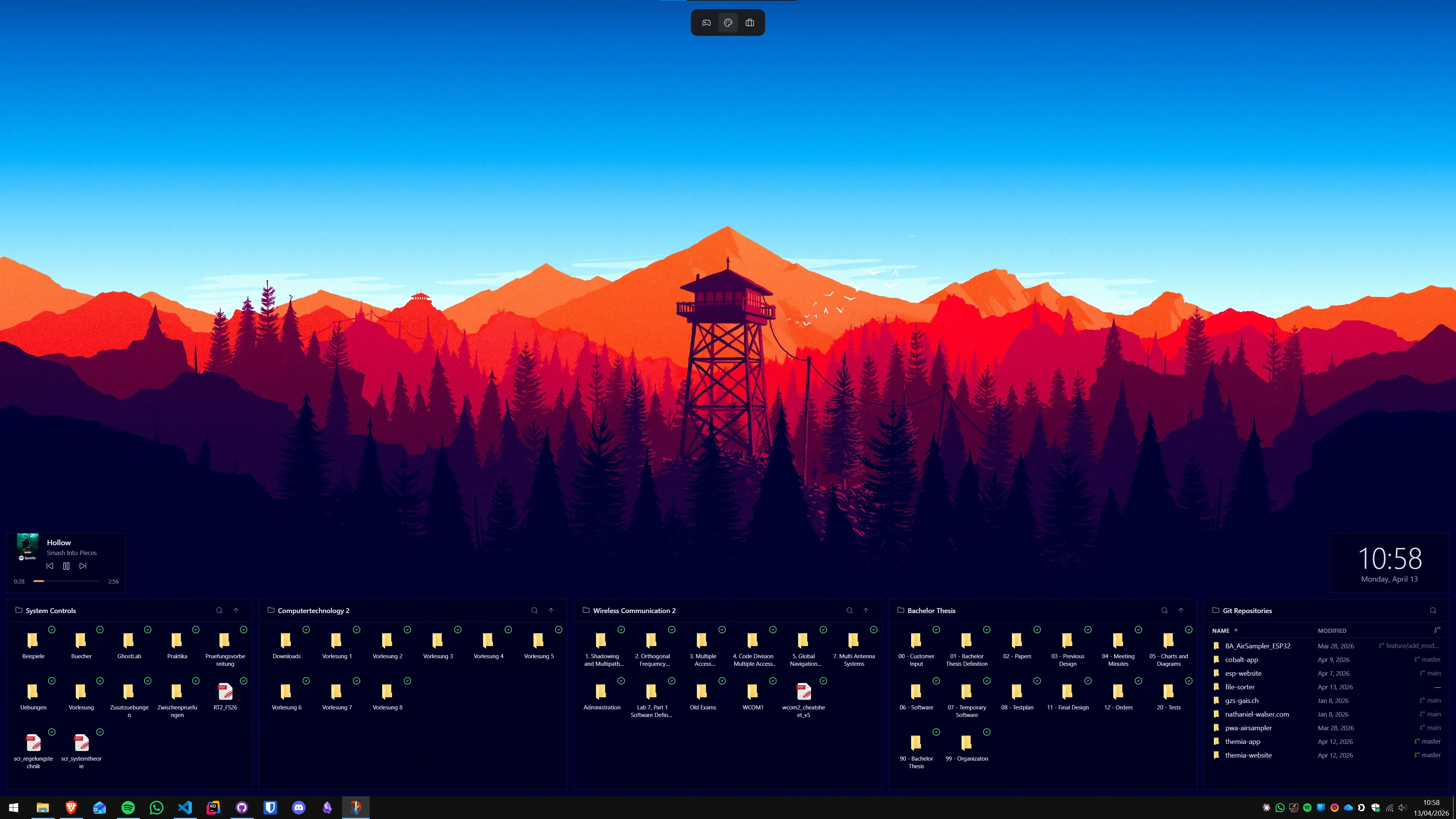
- Themia is a native desktop widget app: files, email, calendar, weather, stats, stocks, music, notes, to-do, RSS, GitHub.
- They touch completely different parts of the OS. If you care about native polish, you probably want both.
Feature comparison
| Feature | Themia | ModernFlyouts |
|---|---|---|
| Price | Free tier · $19 one-time Pro | Free, open source |
| What it does | Adds widgets to the desktop | Redesigns Windows system flyouts |
| Visible when | Always — part of the desktop | Only when you press a hardware key or change audio |
| Covered surfaces | Files, email, calendar, weather, system stats, stocks, music, notes, to-do, more | Volume, media, brightness, caps/num/scroll lock, airplane mode |
| Distribution | Download from themia.ch | Microsoft Store, GitHub, winget, Chocolatey |
| Footprint | Native Tauri app, under 10 MB install | Tiny, runs in the background |
| Overlap with Themia | — | None |
Where ModernFlyouts wins
A fix Microsoft should have shipped
The old volume flyout is one of those embarrassing corners of Windows that never got modernized. ModernFlyouts replaces it with a compact Fluent-style pill that includes an actual media card — album art, track title, scrub bar, play/pause/skip — for whatever is playing. The effect is immediate: Windows suddenly feels more finished than it did five minutes ago.
Zero cognitive cost
You install it, it runs in the background, and you stop noticing it because it just quietly does the right thing. There is nothing to configure if you do not want to, and nothing to maintain.
Very narrow, very polished
ModernFlyouts does one thing — redesign the system flyouts — and nothing else. That focus is the reason it is as good as it is. It is not trying to be a dock or a launcher or a widget layer. It fixes a specific eyesore and stops.
Free and open
MIT-licensed, community-maintained, available from the Microsoft Store with auto-updates. Nothing to think about.
Where Themia wins
Persistent information, not momentary popups
ModernFlyouts appears, does its job, and disappears. That is exactly right for volume and media keys — you do not want a volume bar camped on your screen. But it is the wrong model for things like your calendar, inbox, weather, or file shortcuts. Those belong somewhere you can glance at without pressing a key. That is Themia's job.
Content, not chrome
ModernFlyouts is a UI replacement — it makes existing Windows popups look better. It does not introduce new information. Themia is the opposite: every widget exists to put new information on your screen — the next meeting, today's high, CPU and GPU load, unread count, now playing, the next item on your to-do list.
Per-screen layouts and a real editor
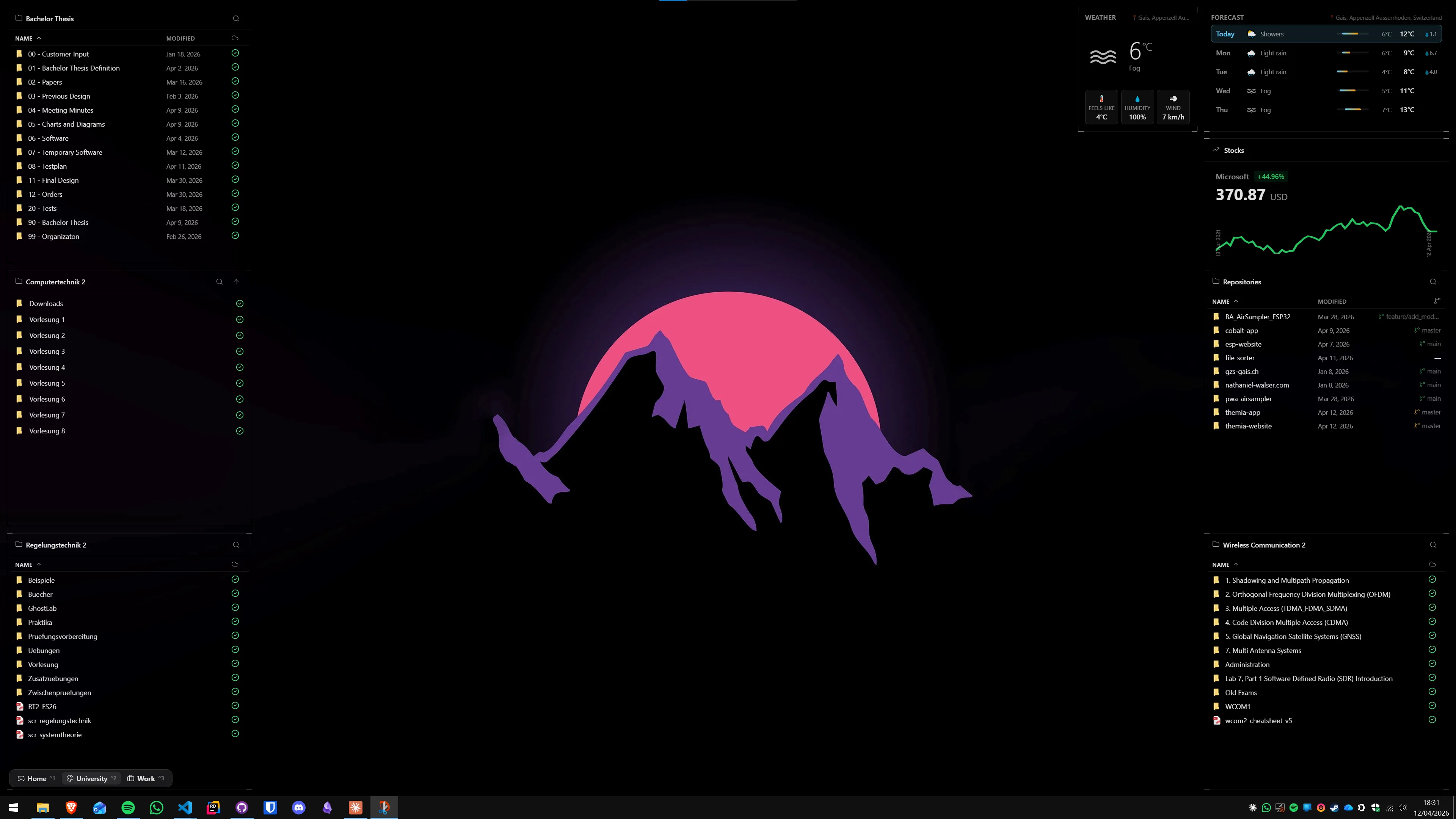
Themia has a GUI for arranging widgets, switchable layouts per monitor, and dozens of widget types with their own configuration screens. ModernFlyouts is a few toggles in a settings window — which is all it needs to be.
Integrations
Themia connects to Microsoft 365, Gmail, calendar services, weather APIs, Spotify, Apple Music, GitHub, and RSS feeds. ModernFlyouts is a pure local system app and never calls the network.
Which should you pick?
Install both if you care about how Windows looks and feels. They do not fight each other.
Pick ModernFlyouts if the native volume bar and the lack of a real media control flyout bother you. It is the smallest, cleanest fix available for that specific annoyance.
Pick Themia if your desktop is a wasted surface and you want calendar, inbox, weather, music, files, and stats living on it — all rendered natively, with a consistent design.
If you really only have room for one, ask yourself where your irritation lives. If it is the volume key, that is ModernFlyouts. If it is the blank expanse of wallpaper behind your windows, that is Themia. Most people who care about either end up caring about both.