Themia vs Stardock Fences: Widgets or Icon Fences?
Most people who hear about Stardock Fences and Themia assume they are competitors. They are, but only in the same sense that a filing cabinet and a dashboard are competitors — both help you deal with the same mess, but they hand you very different tools.
The short version
- Fences is an organizer. It groups your existing desktop icons into labeled, movable, collapsible containers.
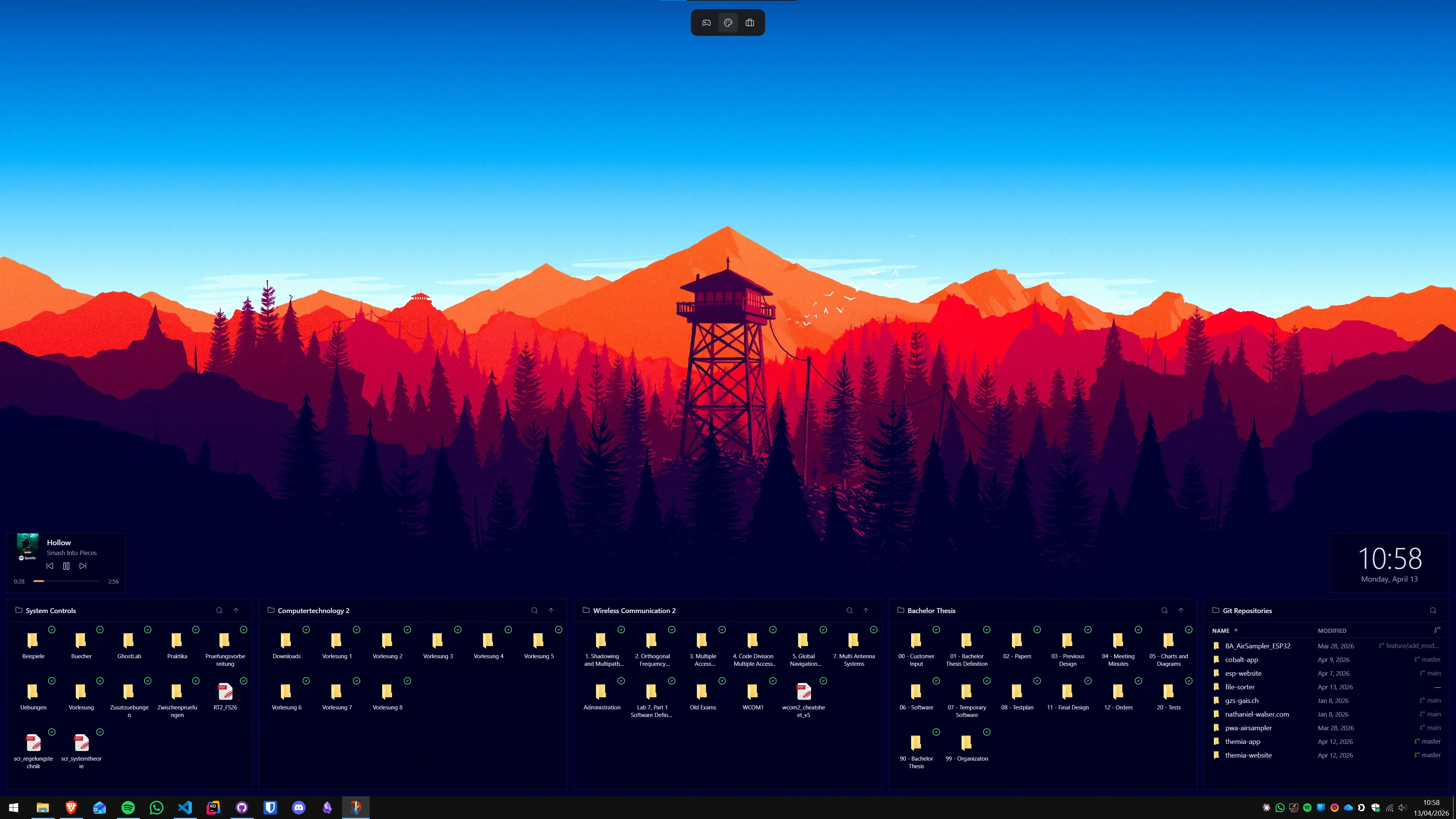
- Themia is a widget app. It replaces icons with live content — your calendar, your inbox, a folder view, system stats — laid out how you want.
If the problem you are trying to solve is "my desktop has 70 icons and I cannot find anything," Fences is the direct answer. If the problem is "I open six apps ten times a day just to glance at things," that is where Themia fits.
Feature comparison
| Feature | Themia | Stardock Fences |
|---|---|---|
| Price | Free tier · $19 one-time Pro | Paid (one-time; sold separately or in Object Desktop) |
| Core purpose | Live widgets on the desktop | Organizing desktop icons into containers |
| Folder display | Folder widget with grid or list view, live updates | Folder portals — a fence that mirrors a folder |
| Email / calendar / weather | Built-in widgets | Not included |
| System stats | CPU, RAM, GPU, disk, network widgets | Not included |
| Auto-sort rules | Manual placement of widgets | Yes — rules by file type, name, etc. |
| Per-context layouts | Switchable per-screen layouts | Desktop pages (swipe between desktops of fences) |
Where Fences wins
Icon management at scale
If you genuinely save files to your desktop — downloads, screenshots, PDFs, active projects — Fences is purpose-built for that. The auto-sort rules are the feature to highlight: you can set up a fence that automatically holds every .pdf, or every screenshot, and the desktop stays tidy on its own.
A mature, well-supported product
Fences has been around for a long time, it is part of Stardock's larger Object Desktop suite, and it has the kind of polish you get from a commercial product that has shipped for many years.
Minimal behavior change
Fences keeps the desktop feeling like the desktop. Your icons are still icons. You still double-click to open. It is a layer of organization, not a reinvention.
Where Themia wins
It is not just icons
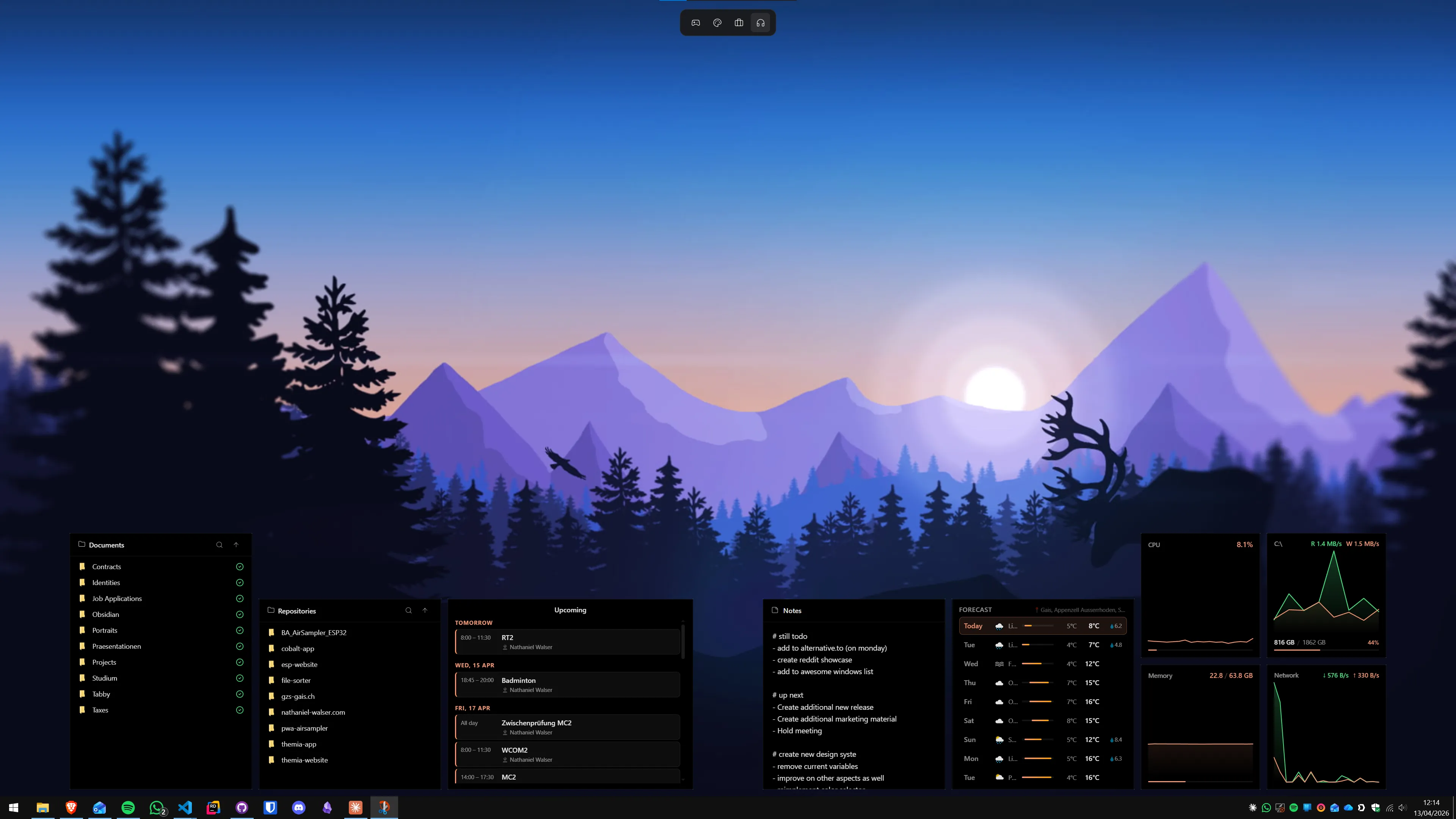
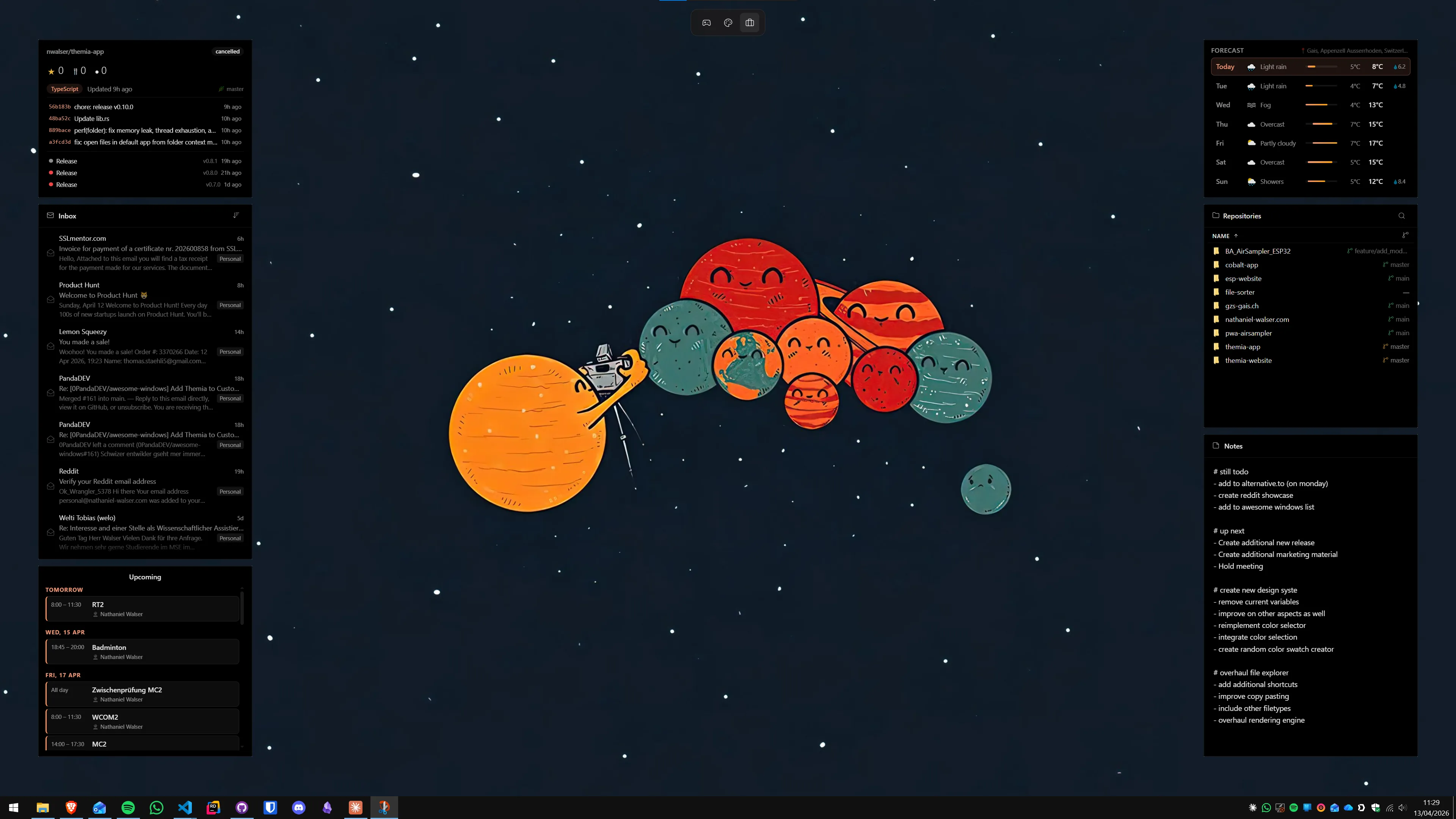
Themia widgets are live. The calendar widget shows today's meetings, not a shortcut to Outlook. The email widget shows the latest unread messages. The weather widget refreshes itself. System stats update in real time. Fences, by design, shows you files and shortcuts — nothing more.
Folder widget with personality
Themia's folder widget covers most of what people use Fences folder portals for: pin a folder to your desktop, see its contents, drag files in and out, open them with one click. But it sits alongside an email widget, a calendar widget, a system monitor, and so on — not as an island.
A glanceable dashboard
The pitch for Themia is different: your desktop stops being a staging area for files and starts being a dashboard for your day. That is a worldview Fences is not trying to sell.
Native, lightweight
Themia is built on Tauri — the installer is under 10 MB and memory use stays minimal. Fences is lightweight in its own right, but Themia's footprint is aggressive by design: no Electron, no background bloat.
Can you use both?
Yes, and some people do. Fences organizing your file icons on the lower half of the screen, Themia widgets for email/calendar/weather/stats on the upper half — they do not conflict. If your desktop is genuinely file-heavy and you also want live widgets, running them together is perfectly reasonable.
Which should you pick?
Pick Fences if: your desktop is your filing system. You save things there, you need them sorted, and you want that sorting to happen automatically.
Pick Themia if: your desktop is mostly empty right now and you wish it were doing more — showing you what is on your calendar today, what the weather looks like, what your system is doing, what is in a specific folder, what is playing.
Same real estate. Very different answers to the question "what should be on your desktop?"