Themia vs StartAllBack: Old Start or New Desktop?
StartAllBack has a very specific job. Tihiy, its single developer, wrote it to undo the parts of Windows 11 that broke the Windows 10 experience — the centered taskbar, the missing labels, the flattened context menus, the redesigned Start menu. For about $5 per device, you get something close to a Windows 10 (or even Windows 7) shell running on a Windows 11 machine.
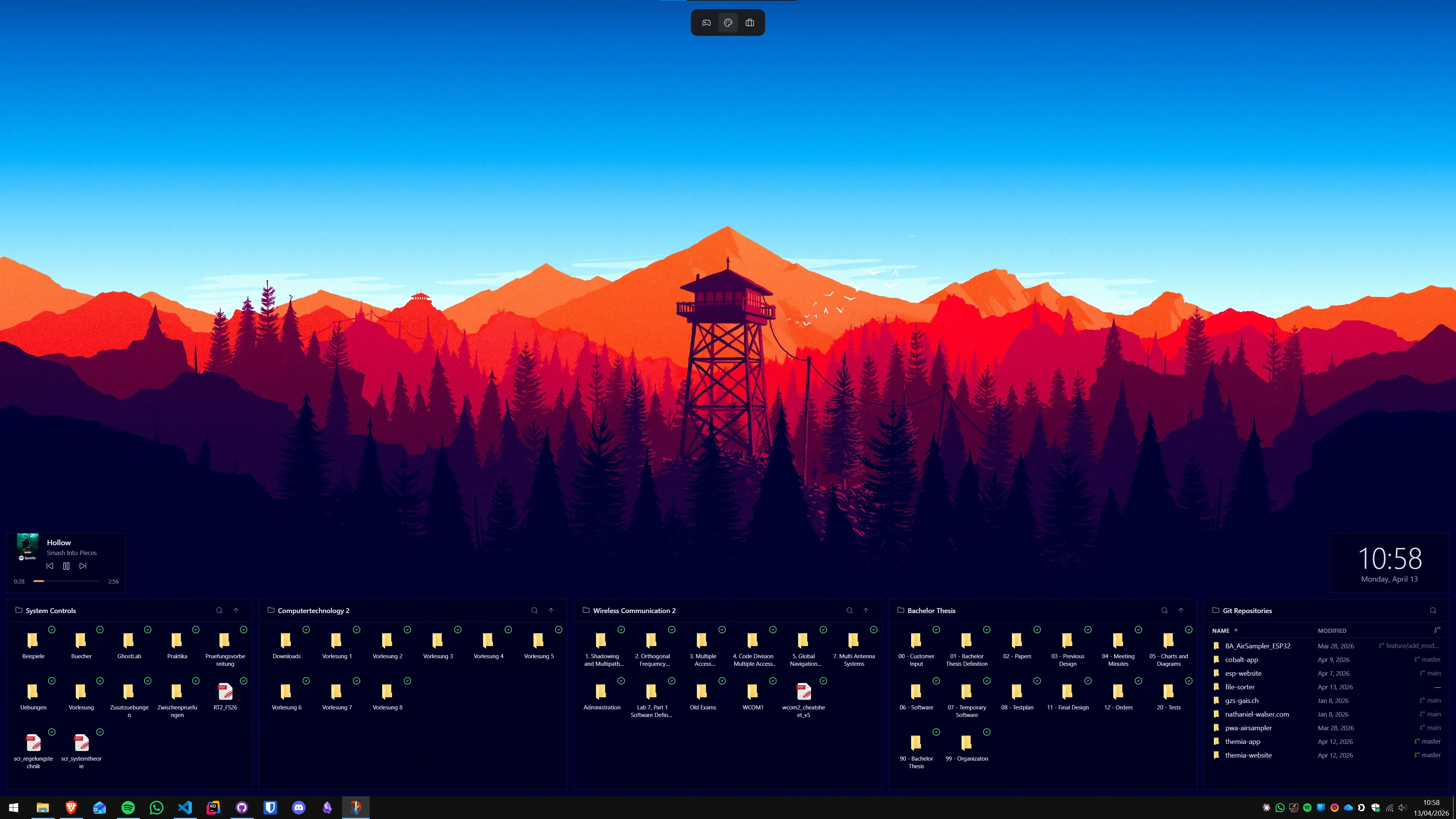
Themia is a desktop widget app. It does not care about the Start menu or the taskbar. It cares about the large empty rectangle in the middle of your screen that Windows calls "the desktop" and treats as a place to put shortcut icons. This post is an honest look at what each tool is for and how they relate.
The short version
- StartAllBack restores classic Windows. It is the best tool out there for making Windows 11 feel like Windows 10 or Windows 7.
- Themia modernises the desktop. It adds live widgets — mail, calendar, weather, stocks, files — to a part of Windows that has had nothing on it for thirty years.
- They do not compete. A "classic" Windows 10 shell with a widget-rich desktop is a perfectly coherent setup.
Feature comparison
| Feature | Themia | StartAllBack |
|---|---|---|
| Price | Free tier · $19 one-time Pro | $4.99 for 1 PC, $8.99 for 2, $11.99 for 3 (lifetime) |
| Goal | Add live data to the desktop | Restore Windows 7 / 10 look and behavior |
| Start menu | Not modified | Windows 7 or Windows 10 style |
| Taskbar | Not modified | Left-aligned, labels, ungrouped icons, classic tray |
| File Explorer | Not modified | Classic ribbon, old context menus |
| Desktop widgets | Files, email, calendar, weather, system stats, stocks, music, notes, GitHub, RSS | None |
| Run both together? | Yes — they touch completely different parts of Windows. | |
Where StartAllBack wins
It is unmatched at undoing Windows 11
If your goal is "make this look like my old machine," StartAllBack is the category winner. The taskbar labels come back. Right-clicking a file shows the full context menu again, not the short one. The Start menu has a proper All Programs list. File Explorer gets the ribbon back. It is extremely thorough.
Tiny and native
StartAllBack is a small, native Windows component. It runs as part of Explorer and has a very low footprint. It is the opposite of a bloated utility suite.
Focused development
Tihiy has been writing variants of this tool for more than a decade — first StartIsBack for Windows 8 and 10, now StartAllBack for Windows 11. It is actively maintained (version 3.9.22 shipped in March 2026) and updates fast when Microsoft changes the underlying shell.

Where Themia wins
It gives the desktop a purpose
StartAllBack can give you the best Windows 7 Start menu on a Windows 11 machine, and your desktop will still be what it has always been: a rectangle of shortcut icons. Themia turns that rectangle into something you glance at — next meeting, unread mail, CPU load, current track, weather, stocks, a folder browser.
Modern integrations
Themia connects to Microsoft 365 mail and calendar, GitHub, music players, weather APIs, and stock feeds. That is a completely different kind of "customization" than restoring a classic taskbar — it is about information, not chrome.
Per-screen layouts
You can set up one layout for work and another for personal use and switch between them. StartAllBack, by design, gives you one consistent shell.

Non-invasive
Themia only draws on the desktop wallpaper area. StartAllBack hooks into the Explorer shell — necessarily, because that is where the Start menu and taskbar live. When Microsoft ships a big Windows update, StartAllBack sometimes needs a patch; Themia usually does not.
Which should you pick?
Pick StartAllBack if: the thing that bothers you about Windows 11 is Windows 11 — the look, the taskbar, the Start menu, the File Explorer changes. Themia will not help you with any of that. That is not the part of the OS it touches.
Pick Themia if: you are fine with the Windows 11 shell (or you have already fixed it), and the thing that bothers you is that your desktop is a dead wallpaper. Widgets are what fix that.
Pick both if: you want a Windows 10-style shell and a desktop full of useful live information. Plenty of users run exactly that combination. The two apps do not know about each other and will not step on each other's toes.
One restores the past. The other fills the blank space the past left behind. They get along fine.