Themia vs Wallpaper Engine: Decoration vs Dashboard
If you have spent any time customizing a Windows desktop, Wallpaper Engine has almost certainly come up. It costs around four dollars on Steam, its workshop is packed with millions of community wallpapers, and it is probably the single most popular way people make their desktop look incredible.
Themia gets compared to it a lot, but the two apps are genuinely solving different problems. Wallpaper Engine decorates your desktop. Themia turns it into a dashboard. This post is a fair, side-by-side look at what each one actually does — and why plenty of people happily run both.

The short version
- Wallpaper Engine replaces your static wallpaper with an animated, interactive one. Scenes, video loops, web pages, shaders — anything that renders.
- Themia puts live, native widgets on top of your wallpaper: inbox, calendar, files, weather, system stats, stocks, music.
- They do not compete. One is for looking at your desktop. The other is for doing things on it.
Feature comparison
| Feature | Themia | Wallpaper Engine |
|---|---|---|
| Price | Free tier · $19 one-time Pro | ~$4 one-time on Steam |
| Primary purpose | Live desktop widgets (email, calendar, files, stats) | Animated, interactive wallpapers |
| Animated backgrounds | No — you bring your own wallpaper | Yes — video, scene, web, shader |
| Live data widgets | Email, calendar, weather, stocks, GitHub, RSS, music, system | Limited — clocks and audio visualizers through scenes |
| GPU / battery cost | Minimal — static widgets, native rendering | Noticeable — animated wallpapers keep the GPU busy |
| Community content | Not a content platform; widgets are first-party | Millions of Steam Workshop wallpapers |
| Per-screen contexts | Switchable layouts (work, personal, focus) | Different wallpapers per monitor, no layout concept |
Where Wallpaper Engine wins
Sheer visual impact
Nothing Themia does will turn your desktop into a moving cyberpunk city, a rainy Tokyo street at night, or a shader that reacts to your music. Wallpaper Engine is the undisputed champion of "my desktop looks like a piece of art." If that is the feeling you are chasing, it is the right tool.
An enormous workshop
The Steam Workshop has been running for years and contains a genuinely staggering amount of free community content. You can lose an afternoon browsing it. For four dollars, the library alone is worth the price.
Interactive and audio-reactive
Wallpaper Engine supports mouse interactions, audio reactivity, and even full web-based wallpapers that can do almost anything a browser can. That is a different technical category from what Themia does, and there is no point pretending otherwise.
Where Themia wins
Information you actually use
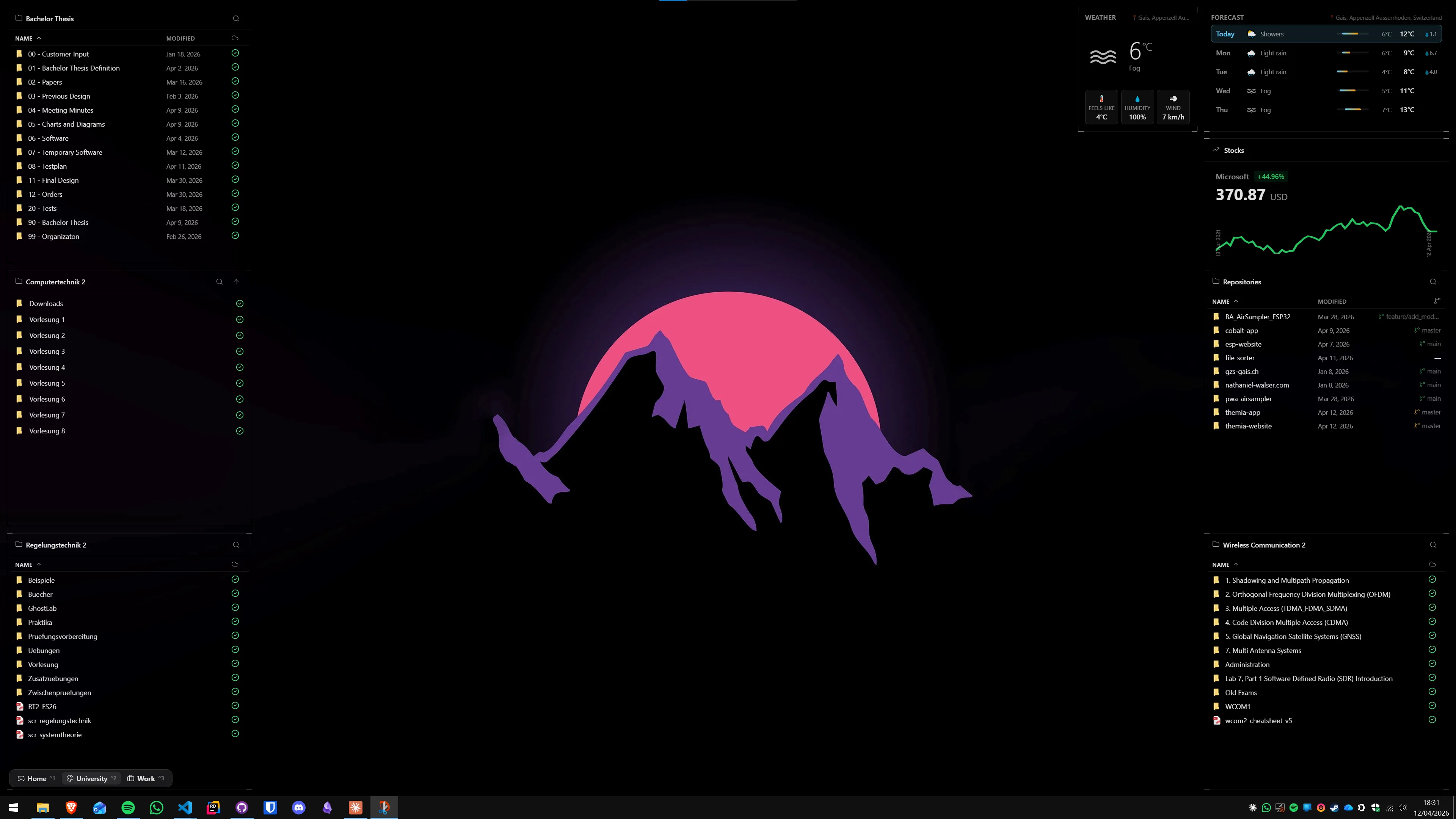
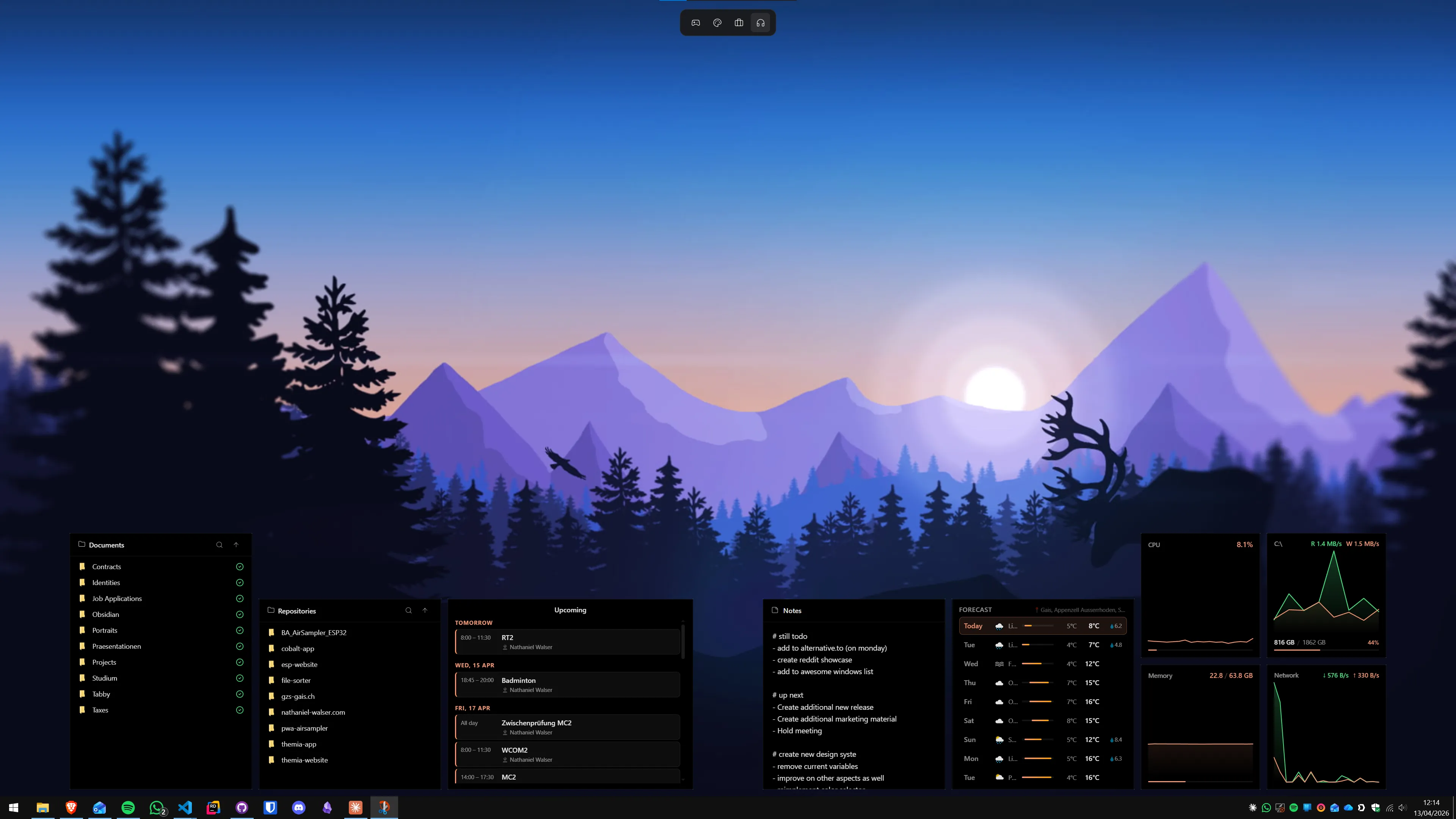
Themia ships with widgets for the things you check throughout the day — your inbox, your next meeting, today's weather, your watchlist, your system's load, your files, your notes, your to-do list. Wallpaper Engine does not really do any of that. Its scene editor has clocks and visualizers, but it is not a widget platform and was never meant to be one.
Low overhead
Animated wallpapers are GPU-bound by design — that is the whole point. On a laptop, that means warmer chassis and shorter battery. Themia is a native Tauri app that runs in under 10 MB of install and sits quietly in the background. You can keep whatever static wallpaper (or Wallpaper Engine scene) you already love and add Themia on top without the machine noticing.
A coherent design language
Because Themia's widgets are all built by one team, they share a visual language — blur, transparency, typography, spacing — and look like they belong together. A Wallpaper Engine scene with a clock from one author and a visualizer from another can look great, but it is a different kind of great: curated from a community, not designed as a system.
Per-screen layouts
Themia lets you define separate layouts per monitor and switch contexts — a work layout with calendar and email on one side, a personal layout with music and notes on the other, a focus layout that hides almost everything. Wallpaper Engine has per-monitor wallpapers, but no notion of "contexts" for the information you are looking at, because it does not show information in the first place.
Which should you pick?
Pick Wallpaper Engine if: you want your desktop to look alive, you enjoy browsing a huge community library, and the appeal is the wallpaper itself. Four dollars is a very fair price for what it does.
Pick Themia if: you want your desktop to do something — show you your next meeting, tell you when it is going to rain, keep an eye on your build, let you drop a file on a folder without opening Explorer. Themia is a productivity tool that happens to live on your desktop.
Pick both if: honestly, this is what a lot of people end up doing. Run a Wallpaper Engine scene for the background and layer Themia widgets on top. The two apps do not fight — one owns the wallpaper, the other owns what sits in front of it. Decoration and dashboard, together.