Themia vs XWidget: Modern Native Widgets for Windows
XWidget has been around for a long time. It is one of the more committed attempts at a "put any widget anywhere on your desktop" platform for Windows, complete with a built-in visual editor and an online gallery with thousands of community-made widgets.
Themia is a newer take on the same idea, but it makes very different tradeoffs. This post is a straightforward side-by-side so you can pick the one that fits how you actually use your computer.
The short version
- XWidget is a widget platform with a gallery. It has a free tier and a paid Pro, a visual editor, and a massive community library — but the aesthetic varies wildly from widget to widget.
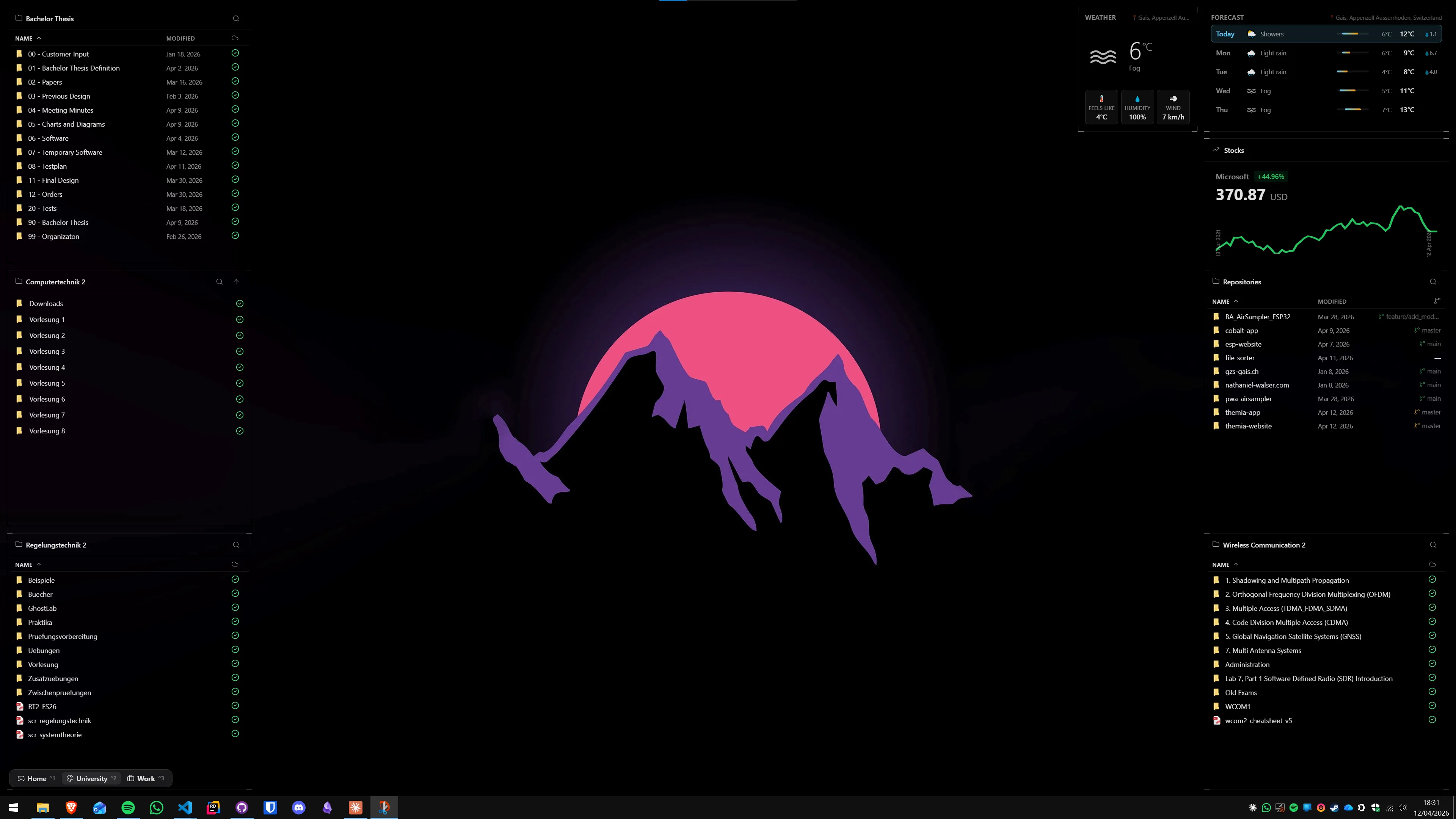
- Themia is a native Windows app with first-party widgets designed to look like they belong together. You add a widget by clicking "Add widget," not by browsing a gallery.
If you want to browse thousands of community widgets and mix and match, XWidget is the natural pick. If you want a small set of widgets that are actually good and look consistent, Themia is aimed at you.
Feature comparison
| Feature | Themia | XWidget |
|---|---|---|
| Price | Free tier · $19 one-time Pro | Free tier · paid Pro |
| Platform | Windows 10 & 11, native Tauri app | Windows XP through 11 |
| Install size | Under 10 MB installer | Larger; includes editor and runtime |
| Widget library | First-party widgets maintained by one team | Thousands of community widgets in the gallery |
| Design consistency | Unified blur, typography, and spacing across widgets | Varies by widget author |
| Per-screen layouts | Switchable layouts (work, personal, focus) | Manual — enable and disable widgets individually |
| Integrations | Microsoft 365, GitHub, and other OAuth services built in | Depends on which widget you install |
| Updates | Auto-update built in | Manual updates; each widget versioned separately |
Where XWidget wins
A huge community gallery
XWidget has been around long enough to accumulate a serious catalog. If you want a clock shaped like a gauge cluster from a specific car, a weather widget styled after a particular anime UI, or a CPU meter drawn as a glowing sci-fi panel, the odds are good that someone has already built it and uploaded it.
A visual widget editor
XWidget ships with a built-in visual editor that lets you design widgets without writing code from scratch. For people who enjoy the creative process of making their own widgets — not just using what someone else built — this is a real feature that Themia does not try to replicate.
Long history on Windows
XWidget runs on older versions of Windows too. If you are maintaining a Windows 7 or 8 machine that you have no intention of retiring, XWidget will still run there. Themia targets modern Windows 10 and 11 only.
Where Themia wins
A coherent look, out of the box
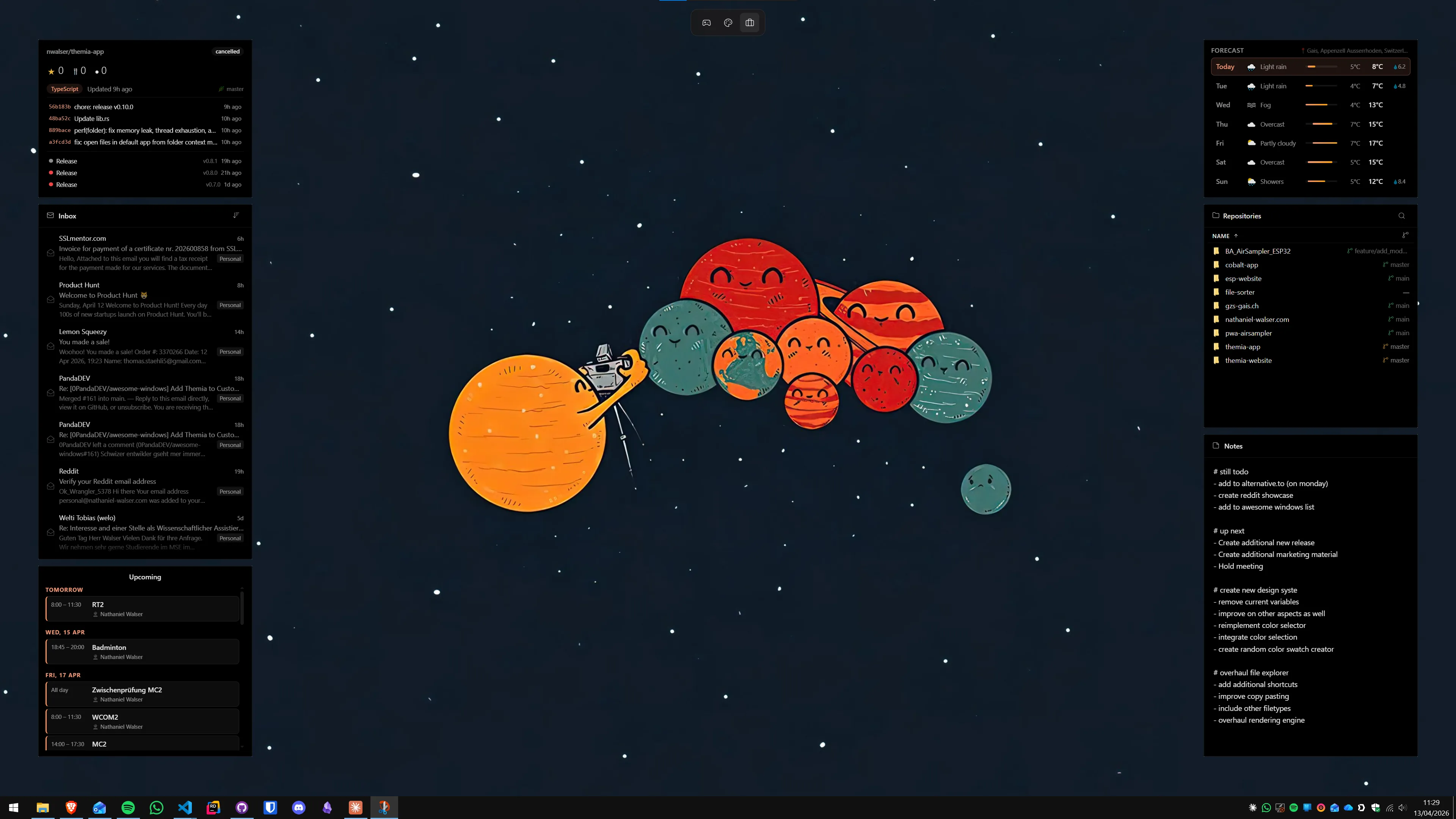
Every Themia widget is designed by the same team and uses the same visual language — the same blur, the same typography, the same spacing. You do not end up with a desktop that looks like a patchwork of five different designers from five different years. The first time you open Themia, the widgets already look like they belong on the same screen.
Real integrations, not scraped ones
Themia connects to Microsoft 365 email and calendar, GitHub, music apps, weather APIs, and other services through proper OAuth flows. This is the kind of thing that is hard to maintain as a community widget — and one reason most popular XWidget items are variations on clocks, meters, and launchers rather than live inbox widgets.
Switchable per-screen layouts
Themia treats "work," "personal," and "focus" as first-class concepts. You can define a different set of widgets per screen and swap between them. XWidget supports showing widgets on multiple monitors, but there is no built-in concept of switching between named contexts.
It updates itself
Themia has auto-update built in, so the app and all its widgets move forward together. With XWidget, the app updates and each individual community widget updates on its own schedule — sometimes not at all if the author has moved on.

Which should you pick?
Pick XWidget if: you love browsing giant widget galleries, you want to design your own widgets in a visual editor, and you do not mind that the result ends up stylistically mixed.
Pick Themia if: you want a small, well-maintained set of widgets that look like one app, you care about real integrations with services you actually use, and you would rather not spend an afternoon shopping for the right clock.
XWidget gives you a marketplace. Themia gives you a product.