Why Your Windows Desktop Is Empty
Minimize every window on your computer right now and look at what is left. If you are like most Windows users in 2026, the answer is: a wallpaper, a Recycle Bin in the corner, maybe three or four shortcut icons you have not clicked in months, and possibly an installer file you forgot about. That is it. The biggest screen in your life, the one you look past for ten hours a day, is mostly empty.
This is not a universal truth of computers — it is a Windows-specific situation. macOS desktops have live widgets on them. iPad home screens are full of live widgets. Android home screens have been widget-first since about 2009. GNOME and KDE both put information on the desktop natively if you want it. Windows, the operating system with the single biggest desktop user base on the planet, is the one that decided your wallpaper should do nothing.
That is a strange thing if you stop to notice it. This post is about how it got that way, why Microsoft shows no particular urgency to fix it, and what the situation actually looks like if you decide to fill that space yourself.
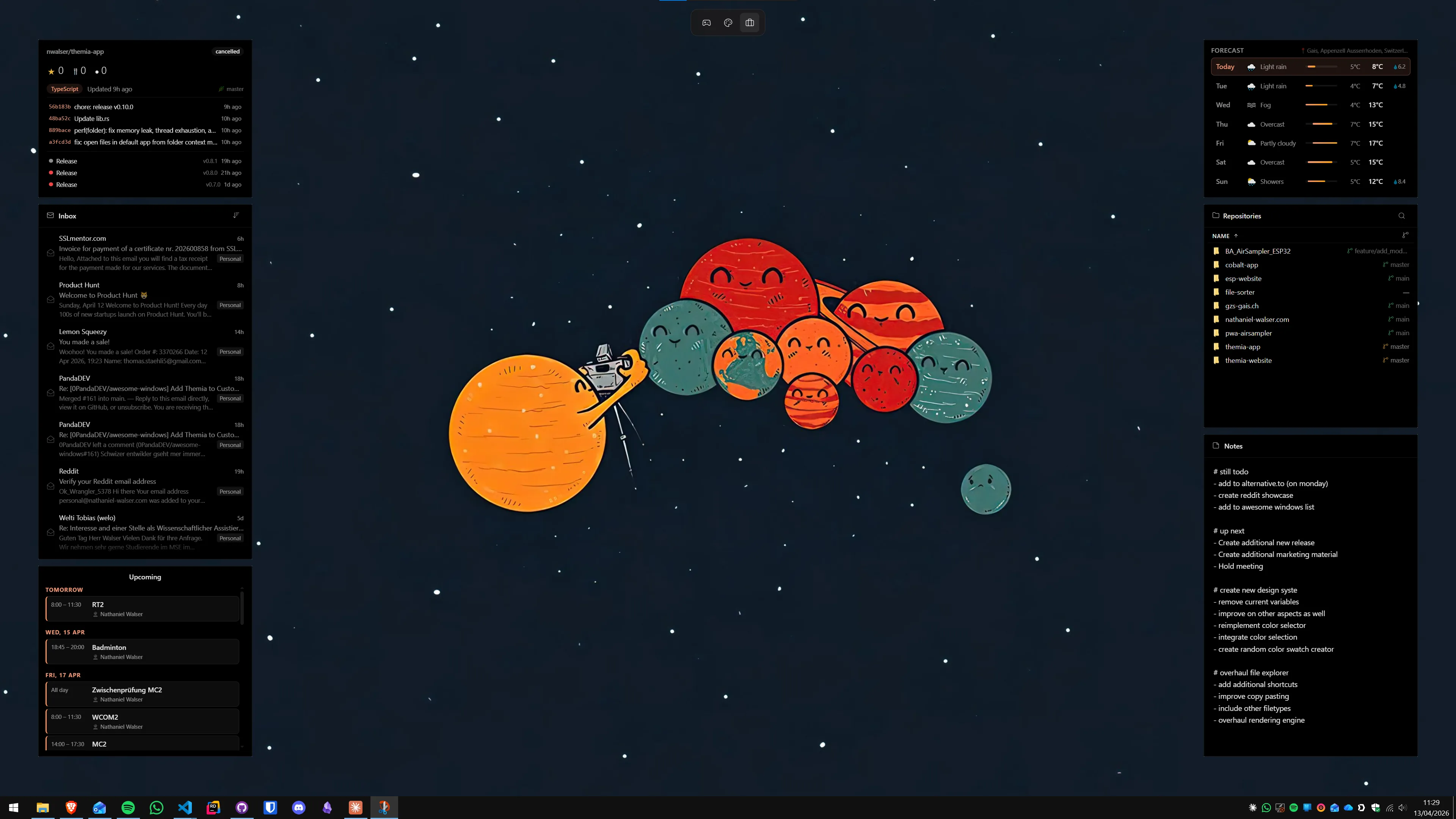
How the desktop got empty
The empty Windows desktop is not a design it started with. It is a design it arrived at, one decision at a time, over roughly thirty years.
In the Windows 95 and XP era, the desktop was the application launcher. Every installer dumped a shortcut there by default, and most people kept them. A typical XP desktop was four rows of program icons, a wallpaper you could barely see behind them, and a Recycle Bin somewhere in the bottom right. The desktop did something — it held all the stuff you ran — but it was a storage surface, not an information surface. You looked at it to find things, then you hid it under whatever you opened.
Windows Vista and Windows 7 added a second idea: the sidebar. Gadgets sat along the right edge of the screen and showed live data — a clock, a CPU meter, a weather tile, a sticky note, an RSS reader. For the first time, the desktop did something on its own without you launching it. A lot of people over thirty still remember their Windows 7 desktops more fondly than any setup since, and the community wrote thousands of gadgets in the few years the platform was alive.
Then, in 2012, Microsoft killed the gadget platform entirely. The stated reason was security — gadgets ran with full user privileges and could load remote HTML, which made them a real attack vector — and the reason was defensible. What was not defensible was the absence of a replacement. Windows 8 shipped with no desktop widget story at all. Its answer, live tiles, lived on the Start menu and then died there when Windows 10 arrived.
Windows 10 is where the "empty desktop" pattern really set in. No first-party widgets, no gadgets, no sidebar. News and Interests arrived late in the Windows 10 life cycle as a taskbar flyout, but it was a news feed with a weather icon, not widgets. The design posture was unambiguous: the desktop is for your wallpaper, your shortcuts are on the Start menu, everything else happens inside your windows. The desktop was a place to minimize to, not a place to use.
Windows 11 tried again with the Widgets Board — a pop-out panel you open from the taskbar. It is closer to the idea of widgets than anything Microsoft has shipped since 2012, and it is still not on the desktop. Clicking the button slides a panel over whatever you were doing, shows you a set of cards, and then you close it. By the time you have done that, the desktop itself is still empty. We covered that decision in more depth in why Windows 11 Widgets fall short — the short version is that a panel is not a widget in the sense people mean when they ask for one.
Why Microsoft left it empty
It would be unfair to frame this as laziness. Microsoft has had reasons for each step, and several of them hold up.
The 2012 gadget deprecation really was a security call, not a product call. Windows 7 sidebar gadgets could host remote web content with the full permissions of the logged-in user; by 2011 they were being used as a malware vector in the wild. Removing the platform was the right security decision, even if not replacing it was a product failure.
The Windows 8 era then rewrote the mental model of the OS around touch, tablets, and full-screen apps. In that model the desktop was a legacy surface — something you fell back to for old Win32 apps, not somewhere to put new functionality. The Start screen, and then the Start menu, was where live data was supposed to live. When touch-first Windows turned out to be a mistake, the desktop was not restored as an information surface; it was just uncovered.
Since then, the implicit Microsoft model has been: the taskbar is your status bar, the Start menu is your launcher, the desktop is your wallpaper, and anything else lives inside an app window. That is a coherent design. It is also a design that treats the biggest piece of screen real estate on your machine as decoration, and most users have quietly accepted that because the alternative was never offered.
Everybody else put widgets on the desktop
The fact that Windows has no first-party desktop widgets in 2026 is most visible by comparison. Every other major platform solved this, and most of them did it years ago.
macOS Sonoma, released in 2023, made desktop widgets first-class. You open the widget gallery, drag a widget onto the wallpaper, and it stays there whenever the desktop is visible, dimming politely when you focus an app window. Calendar, weather, reminders, stocks, third-party widgets from the App Store — any of them can live on the desktop. Stage Manager added another layer for people who like tiled contexts, but the widgets-on-desktop story is the quiet, default one.
iPadOS and iOS have had home-screen widgets since 2020, and they are a huge part of the daily experience of those devices. Your calendar, your weather, your photos, your fitness progress, your Spotify — all on the home screen, visible whenever you unlock the device. Apple built the muscle there first and then brought it to the Mac.
Android has been home-screen-widget-first since roughly 2009. The quality and aesthetic consistency of Android widgets is all over the map, but the default expectation that a home screen does something live is ancient at this point.
Linux is arguably the most interesting comparison because it is the closest desktop-paradigm cousin to Windows. GNOME has a mature extension ecosystem that puts widgets, status indicators, and info panels directly on the shell. KDE Plasma ships with Plasmoids — native desktop widgets for clocks, weather, system monitors, news feeds, calendar, you name it — and has done for over a decade. On Plasma, putting a widget on your desktop is a right-click away. No pop-out panel, no third-party app, no security compromise.
Windows in 2026 is the one mainstream desktop OS where putting a live widget on the wallpaper requires installing something that did not come with the operating system. That is the anomaly.
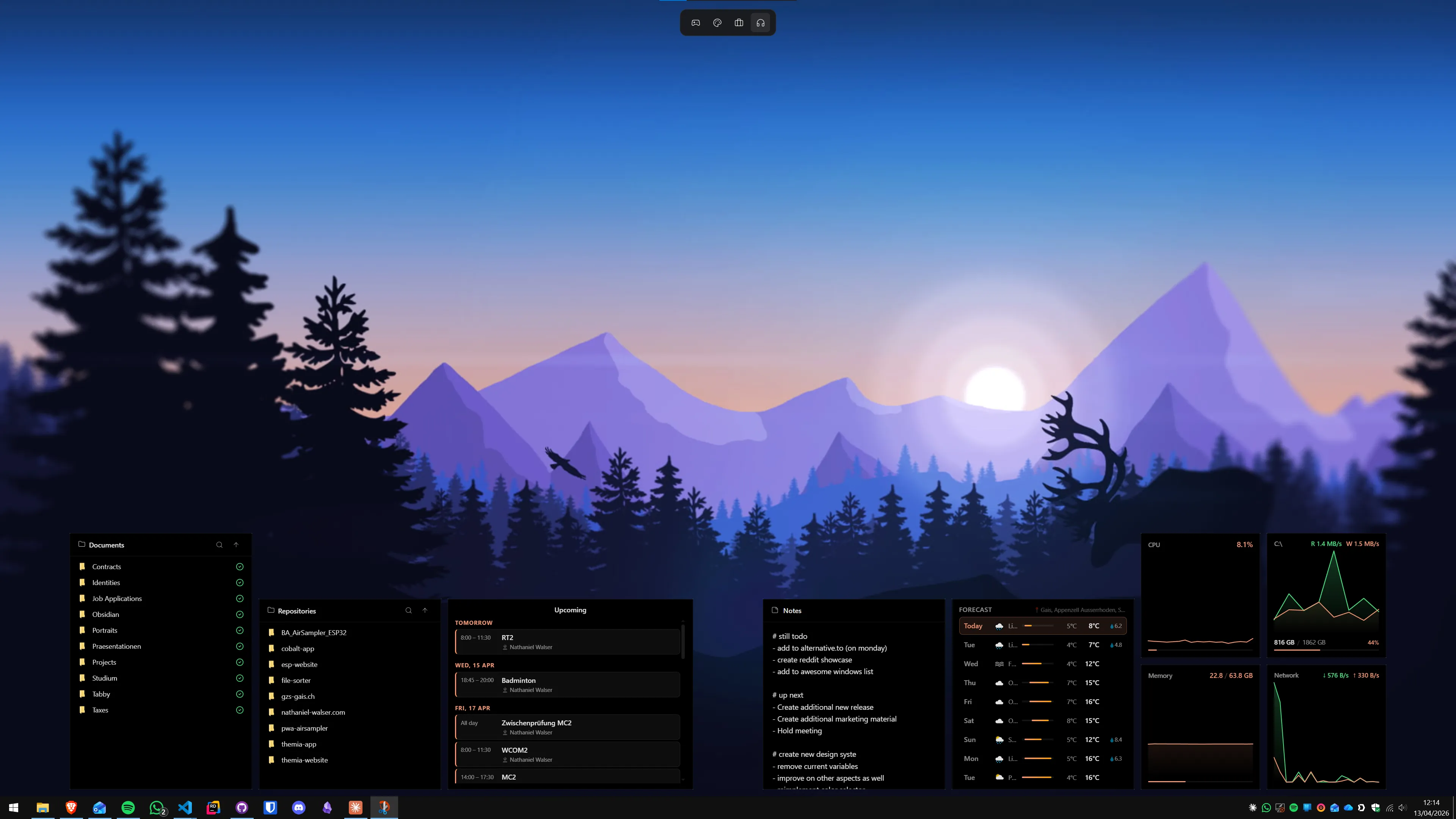
What a full desktop actually looks like
"Fill the desktop" sounds like decoration, but in practice it is rarely about aesthetics. The desktops that stick are the ones that answer specific questions you keep alt-tabbing to find out.
A calendar widget answers what is next on my day without opening Outlook. A weather widget answers do I need a jacket without a browser tab. A system stats widget answers why is my laptop loud right now without Task Manager. A folder widget keeps a live view of your downloads or a current project so you stop digging through File Explorer. An email widget shows the last few unread messages so you can decide whether a meeting can wait. A music widget does what the Windows media flyout never quite does.
None of this is exotic. It is the table-stakes set Rainmeter skinners were hand-building twenty years ago and that modern native apps ship out of the box today. The pattern across all of it is the same: information that is already on the machine, surfaced at a glance instead of behind three clicks. The desktop is the cheapest place to put it — it is already visible a good fraction of the time, and the pixels are already yours.
The three ways people fill it
If you decide to stop accepting the empty wallpaper, you have roughly three directions to go. Most serious setups pick one and dabble in a second.
Icon-based. Tools like Stardock Fences treat the desktop as a place for organized shortcuts and folder portals rather than a canvas for live data. This is the right path if your actual problem is that your desktop is a pile of unsorted icons rather than an empty one. See Themia vs Stardock Fences for the head-to-head on where this path shines and where it does not.
Decorative. Wallpaper Engine and Lively Wallpaper turn the background itself into motion — animated scenes, reactive visualizations, web-page wallpapers. This is pure aesthetic; it does not make the desktop useful, but it does make it less dead. Themia vs Wallpaper Engine digs into the trade-off between movement and information.
Informational. Widget apps put live data on the wallpaper — calendar, email, stats, files, weather, notes. Themia is the modern native pick, Rainmeter is the classic engine, XWidget sits between them. Our best Windows desktop widget apps roundup walks through the whole field, and the desktop customization guide covers how to combine categories.
The categories are not exclusive. The most common "finished" Windows desktop in 2026 is a reasonable wallpaper (static or light-animated), a widget app for the information, and optionally an icon organizer if you have enough shortcuts to justify one. That stack has been around for years; it has just never been the default, because Microsoft has never shipped it.
A short honest pitch for Themia
I build Themia, so take this as advocacy rather than reporting. But the reason Themia exists is the problem this post is about. Windows does not put widgets on the desktop, the Widgets Board is a panel rather than an answer, Rainmeter is excellent but expects you to enjoy editing config files, and the gap between "empty wallpaper" and "genuinely useful surface" was wider than it needed to be.
Themia is a native Tauri app that stays under 10 MB installed. Widgets sit directly on the wallpaper, not in a panel. It ships with the widgets most people actually want — files, email (OAuth into Outlook and Gmail), calendar, weather, system stats, stocks, music, notes, to-do, RSS, GitHub — in a shared design language, so a finished setup looks designed rather than assembled. There is a visual editor instead of config files, per-screen switchable layouts, and a free tier that covers a real workflow. Pro is a one-time $19.
You do not have to use it. You can use Rainmeter, you can use 8GadgetPack, you can stay on the empty wallpaper. But if the observation that opened this post landed at all — that the most expensive screen real estate you own is currently doing nothing — the install is small and the free tier is real. Try it for a weekend.
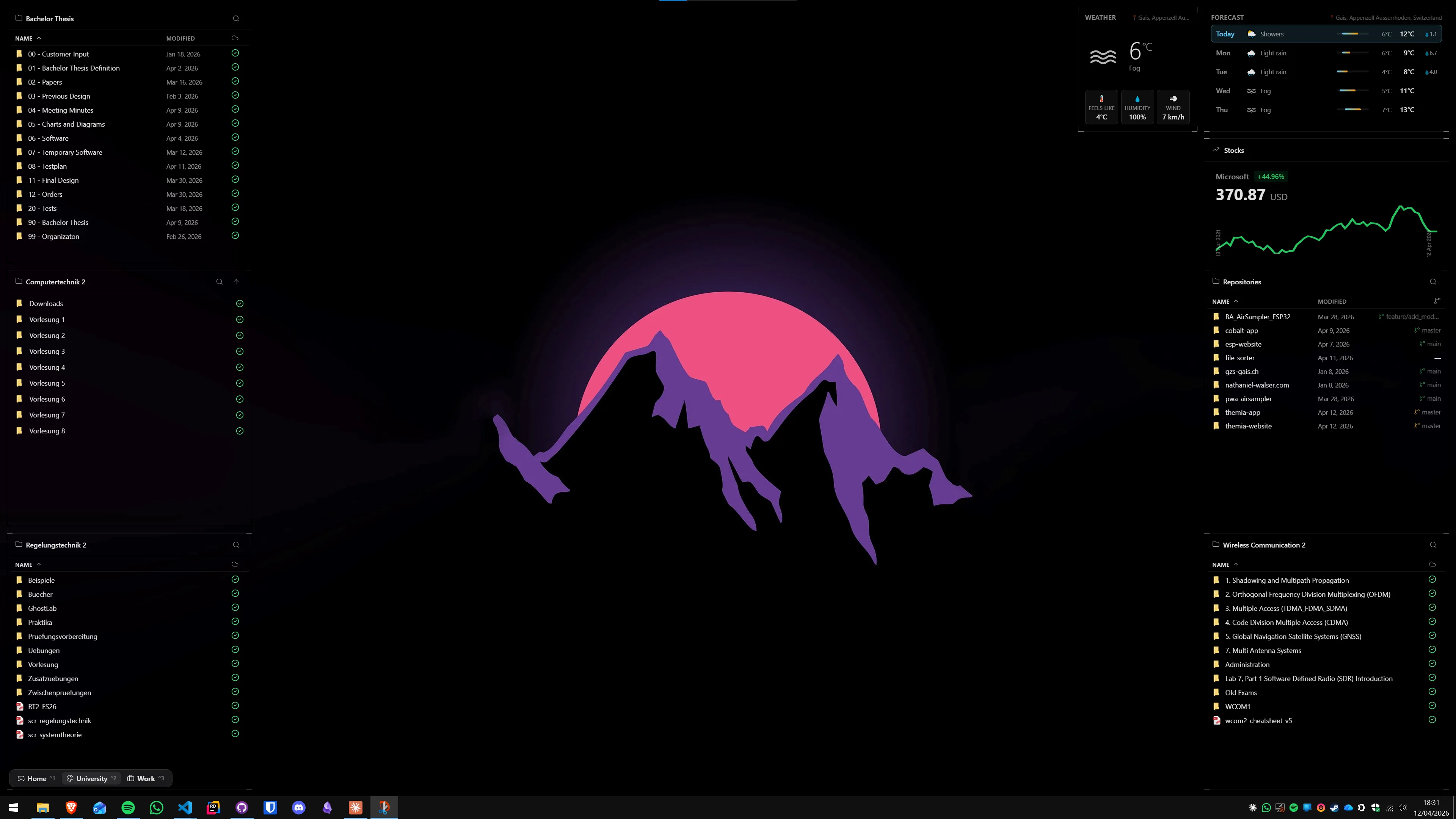
Conclusion
The empty Windows desktop is a default, not a fact. Microsoft arrived at it through a sequence of reasonable-at-the-time decisions — a security deprecation with no replacement, a touch-first era that deprioritized the desktop surface, a panel-based widget feature that chose ad monetization over on-desktop placement — and the result is that Windows is the only major desktop OS in 2026 where the wallpaper does nothing by default. macOS, iPadOS, Android, GNOME, and KDE all solved this. Windows is the outlier.
You do not have to wait for Microsoft to fix it. You can fix it this afternoon with a small free download. Your desktop is the most expensive piece of screen real estate you own — either it does something for you, or you are choosing to leave it empty. Both are fine. Just notice that it is a choice.
If you want to go deeper: Themia vs Windows 11 Widgets for the direct comparison, the best Windows desktop widget apps for a full roundup of the category, and the 2026 desktop customization guide if you want the broader map.
FAQ
Why does Windows not have desktop widgets by default?
Microsoft removed Windows 7 sidebar gadgets in 2012 on security grounds (they ran with full user privileges and could load remote HTML) and never replaced them with an on-desktop equivalent. The Windows 8 push toward touch and the Start-menu-first model deprioritized the desktop surface entirely, and Windows 10 kept that posture. The Windows 11 Widgets Board is the current answer, but it lives behind a taskbar button in a pop-out panel rather than on the desktop itself. The result is that in 2026 Windows is the only major desktop OS that does not put live widgets on the wallpaper by default.
Is an empty desktop actually a problem?
Only if you want the screen real estate to do something. An empty wallpaper is not broken — plenty of people prefer it that way and work mostly through the Start menu and the taskbar. But the desktop is almost always partly visible behind your windows, and for most people that space is spent on a stock wallpaper they stopped noticing months ago. If you spend eight or more hours a day on the machine, putting a calendar, weather, or file list on that surface usually pays for itself in fewer alt-tabs within a week.
Does macOS really have desktop widgets?
Yes, since macOS Sonoma (2023). You can drag any widget from the widget gallery directly onto the desktop, where it stays visible whenever the desktop is — the same behavior iPad and iPhone have had on the home screen for years. The macOS implementation also dims widgets when you focus an app window, so they fade into the background without fully disappearing. This is the model Windows does not have a native equivalent to.
Can I put widgets on my Windows desktop in 2026?
Yes, but you need a third-party app. The three main categories are native widget apps (Themia is the modern pick — Tauri-based, under 10 MB, free tier), config-driven engines (Rainmeter is still the gold standard for tinkerers), and nostalgia revivals (8GadgetPack brings back the Windows 7 sidebar gadget platform). Any of them will put live widgets on your wallpaper; they just differ on how much setup work they expect from you.
Will Microsoft ever put widgets directly on the Windows desktop?
It is possible but not something to wait for. Microsoft has iterated on the Widgets Board several times since Windows 11 launched and has shown no sign of moving the widgets out of the panel and onto the wallpaper. The panel model is part of how the feature justifies its MSN news feed, which is how it monetizes. Given that history, betting on a first-party on-desktop widget feature in the next few years is optimistic. A third-party app is the safer bet.
Is filling the desktop with widgets going to slow my PC down?
Not meaningfully if you pick reasonable tools. A native Tauri app like Themia stays under 10 MB installed and uses a small amount of RAM. Rainmeter is lightweight on its own — performance issues almost always trace back to a specific skin polling hardware too aggressively, not the engine. The old assumption that desktop customization is heavy comes from an era of Electron-everything; modern native-toolkit apps have largely fixed it.