Widget Launcher vs 8GadgetPack vs Themia on Windows 11
If you have landed here, you have already made the hard decision. You want things on your desktop — a clock, the weather, your CPU load, something that is visible without alt-tabbing. The Windows 11 Widgets Board did not do it, and now you are choosing between the three names that keep coming up: 8GadgetPack, Widget Launcher, and Themia.
I build Themia, so treat the last section accordingly. But this post is not here to talk you out of the other two — one is free and genuinely still maintained, the other installs in one click from the Microsoft Store. This is what each actually is in August 2026, checked against current releases rather than a 2021 listicle.
The 30-second answer
- Want the Windows 7 sidebar back, for free, and you do not care that it looks like 2009? GadgetPack. It is still being updated and it costs nothing.
- Want a one-click Store install on a machine where you cannot run downloaded installers? Widget Launcher.
- Want widgets that talk to your inbox, calendar and repos and all look like one app? Themia.
Comparison table
| 8GadgetPack / GadgetPack | Widget Launcher | Themia | |
|---|---|---|---|
| Price | Free | Free with ads · paid unlock and widget packs | Free tier · $19 one-time Pro |
| Publisher | Helmut Buhler | Chan Software Solutions | Themia |
| Latest release | 42.0 (11 May 2026) | 6.0.4.0 (April 2026) | Continuous, auto-updating |
| How you install it | Installer from gadgetpack.net (also on winget) | Microsoft Store | Direct download |
| Underlying tech | Revives the Windows 7 gadget platform | Store app (sandboxed) | Native Tauri app |
| Widget count | 50+ bundled gadgets | Classic gadget set · more via paid packs | ~50 first-party widgets |
| Look | Faithful Windows 7 | Gadget-style, skinnable colours and transparency | Modern — blur, transparency, one type system |
| Service integrations | None to speak of | Weather and RSS | Mail and calendar (Microsoft, Google, CalDAV/IMAP), GitHub, RSS, stocks |
| Named layouts | No — sidebar model | No — per-widget placement | Switchable layouts per screen |
| Ads | None | Yes, in the free tier | None on any tier |
The three, one at a time
8GadgetPack (now GadgetPack)
Free · still aliveThe most-searched name in this category, and the one people most often assume is dead. It is not.
First, a housekeeping note that trips up half the search results still online: the project was renamed GadgetPack in December 2024 and moved from 8gadgetpack.net to gadgetpack.net. The old domain still redirects, so nothing is broken, but a lot of "8GadgetPack is abandoned" posts are simply looking at the wrong URL.
It is not abandoned. Version 42.0 shipped on 11 May 2026, after 41.0 and 40.0 in March and 39.0 the previous September. Those releases are not cosmetic either — recent changelog entries cover DPI scaling above 175%, gadgets failing to hide behind fullscreen applications, and gadgets losing their position after a reboot. That is someone actually testing on current Windows 11 builds.
What it does is restore the gadget platform Microsoft shipped with Windows 7 and then retired, plus a sidebar to dock them in, plus more than 50 gadgets in one 22 MB installer. Clock, weather, CPU and GPU meters, network monitor, calendar, sticky notes, calculator, a clipboard manager, a currency converter, a web radio player. It is free — the FAQ answers "is it free?" with "Yes, completely."
Two things worth knowing before you install. Since version 38, gadgets that require a 32-bit host process no longer run, so a small number of genuinely old Windows 7 gadgets you might find archived online will refuse to load. And on Windows 11 24H2 and later, you have to grant Location permission in Windows Settings before weather gadgets can read your connected Wi-Fi information.
Pros
- Completely free, no tiers, no account, no ads
- Genuinely maintained — four releases since late 2025
- 50+ gadgets bundled, nothing to hunt down
- The most faithful Windows 7 sidebar revival there is
Cons
- Built on a platform Microsoft retired for security reasons in 2012
- Visually locked to 2009 — no amount of skinning fixes that
- No modern service integrations at all
- 32-bit gadgets dropped since v38
- Manual installer updates
Deep dive: Themia vs 8GadgetPack, or the setup walkthrough in How to get Windows 7 gadgets on Windows 11.
Widget Launcher
Microsoft StoreThe gadget experience, but delivered the way Microsoft would prefer you get software.
Widget Launcher is published by Chan Software Solutions on the Microsoft Store — not by Microsoft, despite how often the name and the placement suggest otherwise. The current build is 6.0.4.0, from April 2026, so it is actively maintained too.
Its catalog stays close to the classic gadget scope: world clocks, weather, calendar, calculator, RSS, a CPU monitor, notes, an image slideshow. You place each widget individually and can adjust skin, colour, transparency and font per widget — more control over appearance than GadgetPack gives you, less than Rainmeter would.
The commercial model is where you should read carefully. The base app is free and ad-supported, and reviewers consistently describe brief interstitials when you launch a widget rather than ads sitting on your desktop. Removing ads and adding extra widget packs are purchases: a separate "Pro Widgets for Widget Launcher" Store listing extends the catalog into system monitoring and translation, and requires the base app to run. Pricing varies by region and changes, so I am not quoting a figure — open the Store listing and look.
The strongest argument for Widget Launcher has nothing to do with widgets. If you are on a work laptop where IT blocks arbitrary installers but allows the Store, this is very possibly your only real option in this whole category, and it is a decent one.
Pros
- One-click Store install, sandboxed like any Store app
- Often the only option on managed machines
- Free to try, no installer to vet
- Per-widget skins, colours and transparency
Cons
- Ads in the free tier
- Catalog stays in classic-gadget territory
- Functionality split across several paid Store listings
- No real service integrations beyond weather and feeds
Deep dive: Themia vs Widget Launcher.
Themia
Our appBuilt for Windows 10 and 11 from scratch, with widgets aimed at services that exist now.
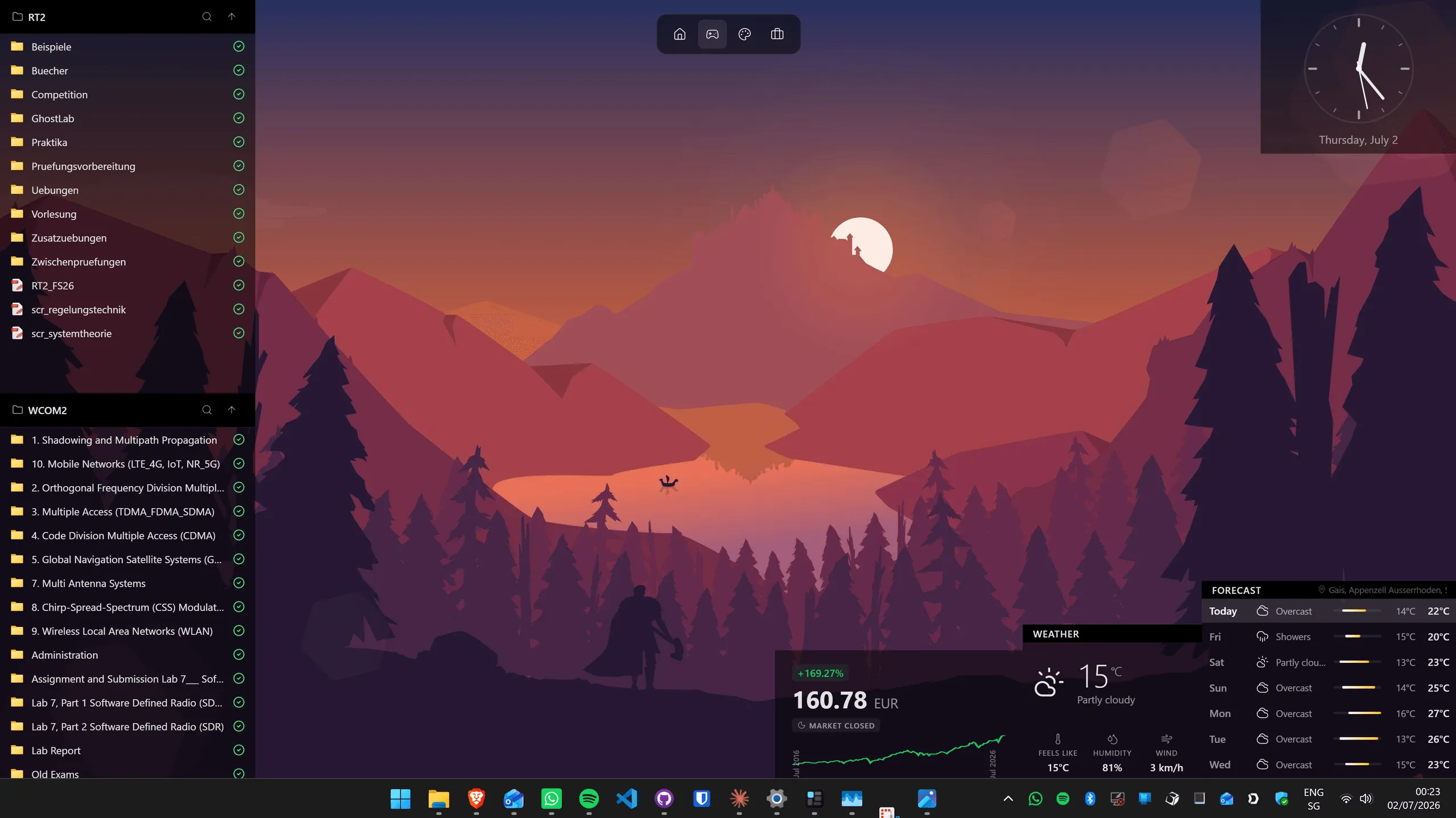
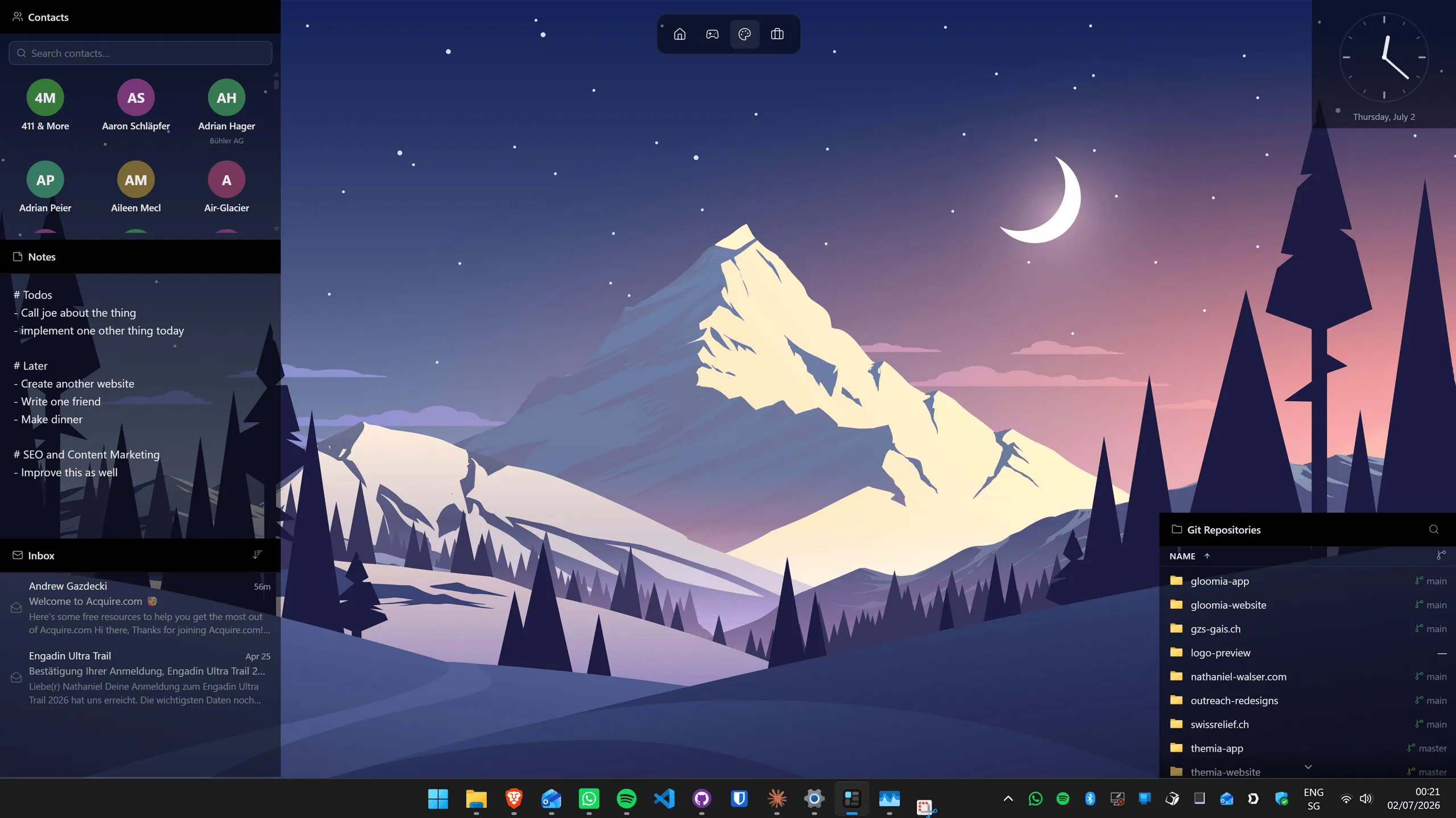
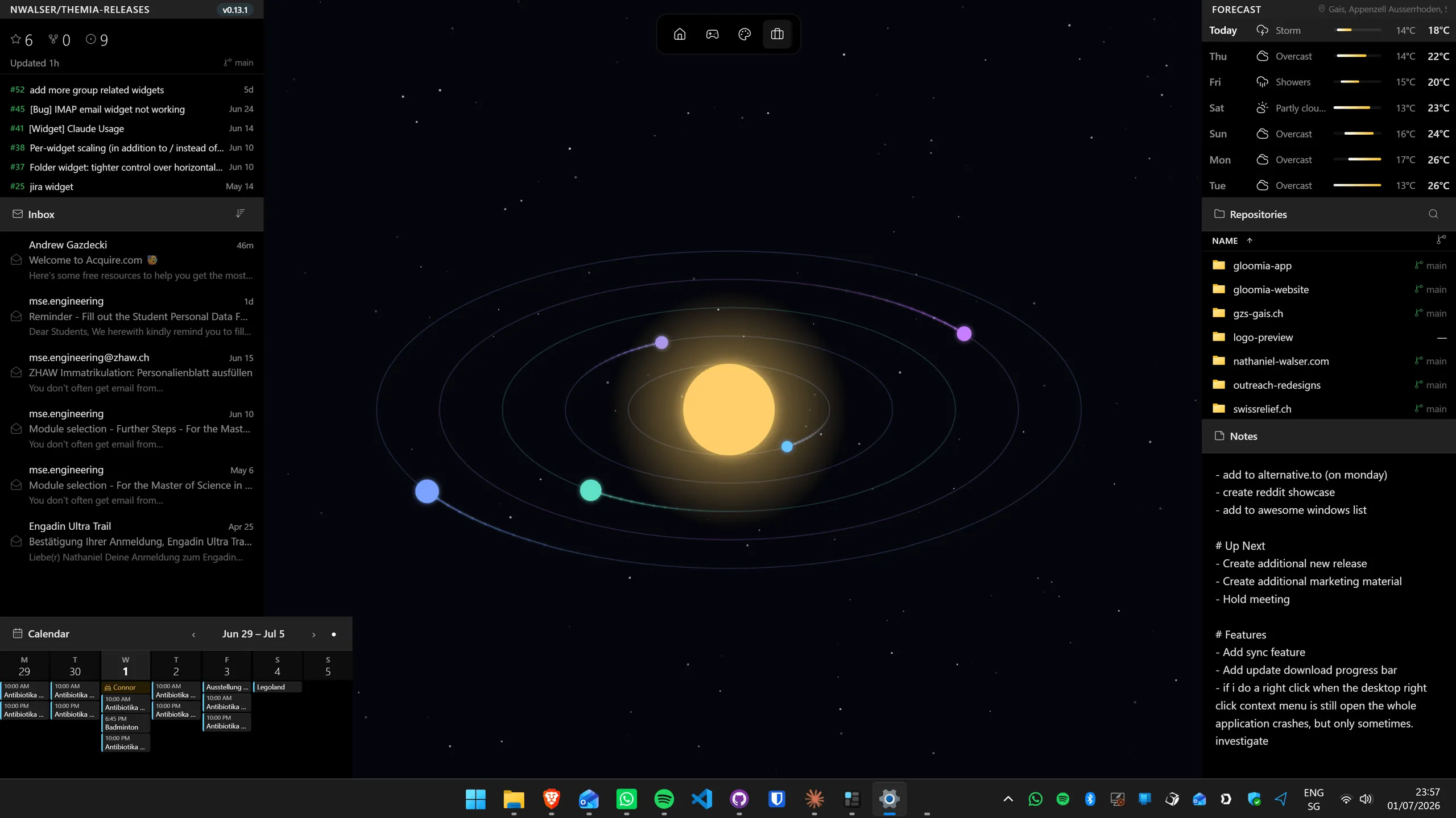
Themia is a native Tauri app. It is not reviving anything and it is not a Store wrapper — it draws widgets straight onto the desktop, and the whole set is designed together, so a stack of six of them reads as one interface rather than six.
There are 22 built-in widgets: Email, Calendar, To-Do, Contacts, Notes, CPU, RAM, GPU, Disk, Network, Battery, Bluetooth, Weather, Weather Forecast, Stocks, GitHub, RSS, Folder, Clock, Now Playing, Gallery and Calculator. The Folder widget is the one people end up using most — it pins any directory to the desktop and lets you browse, drag, drop, rename and open without touching Explorer. The Clock does big legible time and date, with multiple clocks for different time zones if you work across them.
Layouts are per-screen and switchable, so a work arrangement and a personal arrangement can be two different desktops on the same monitor. Updates install themselves.
Now the honest part. Themia is the youngest of the three and it shows in some places. There is no third-party skin ecosystem — what ships is what you get, and if your idea of fun is hunting down someone else's skin, that is a real loss. Temperature and fan rows on the CPU widget depend on you already running LibreHardwareMonitor or OpenHardwareMonitor, because Themia ships no kernel driver of its own; without one, many boards report nothing over ACPI and fan speed is unavailable outright. The Bluetooth widget shows battery level only where the device itself reports it, and plenty of peripherals never do. And it is a direct download, not a Store app, which is a non-starter on some locked-down machines.
On price: free tier, and Pro is $19 once. Not per year. That is the whole pitch — if you are going to keep widgets on your desktop for the next five years, paying once and never seeing an ad or a renewal notice is worth something. If you would not have paid anything, the free tier is there and GadgetPack is free too, and neither of us is going to be upset with you.
Pros
- 22 first-party widgets that share one design
- Mail and calendar across Microsoft, Google and CalDAV/IMAP, GitHub, stocks, RSS
- Switchable per-screen layouts
- $19 one-time Pro, no subscription, no ads on any tier
- Auto-updates
Cons
- No third-party widget or skin ecosystem
- CPU temperature and fan rows need LibreHardwareMonitor running
- Bluetooth battery level only where the device reports it
- Direct download, not on the Microsoft Store
- Youngest project of the three
The question underneath the question
Most people searching for an 8GadgetPack alternative are not actually unhappy with 8GadgetPack. They are asking one of two different things.
"Is it still safe and supported?" — Supported, demonstrably. Safe is more nuanced. Microsoft retired desktop gadgets in 2012 after Security Advisory 2719662, on the grounds that a malicious gadget ran with your user rights. That advisory has not been withdrawn and the underlying design has not changed. In practice the bundled gadgets are fine and the risk sits in gadget files downloaded from forums — which is what the GadgetPack FAQ says too. If that trade-off bothers you, it is a legitimate reason to want modern foundations.
"Is there something that looks less like 2009?" — Yes, and this is the more common motivation. Widget Launcher gets you a tidier gadget aesthetic inside the Store; Themia matches Windows 11's own visual language. Neither feels as nostalgic, which is a real loss if nostalgia was the point.
Which one to install
- You want the sidebar and you want it free → GadgetPack. Nothing else does the Windows 7 look faithfully, and it costs nothing to find out whether you still like it.
- Your machine only allows Store apps → Widget Launcher. Not a compromise so much as the correct answer to that constraint.
- You want an inbox, a calendar and repo activity on the desktop → Themia. Microsoft, Google and CalDAV/IMAP accounts all connect, and several can show in one widget.
- You care most about how it looks next to Windows 11's own UI → Themia, then Widget Launcher, then GadgetPack, in that order.
- You want maximum widget variety for zero money → GadgetPack, by a wide margin.
If none of these three quite fit, the wider field has more options — Rainmeter, XWidget and a few others — and we covered them in Best Windows desktop widget apps.
FAQ
Does 8GadgetPack still work on Windows 11 in 2026?
Yes. The project was renamed GadgetPack in December 2024 and moved to gadgetpack.net, and it is still shipping releases — version 42.0 came out on 11 May 2026, following 41.0 and 40.0 in March. Recent versions specifically fixed DPI scaling, fullscreen-app behaviour and gadget positioning on current Windows 11 builds. One caveat: since version 38 it no longer supports gadgets that need a 32-bit host process, so a handful of very old Windows 7 gadgets will not run.
Is 8GadgetPack safe?
The installer itself is a long-running, well-known project. The nuance is the platform it restores: Microsoft retired desktop gadgets after Security Advisory 2719662 in 2012, because a malicious gadget ran with the logged-in user’s rights. GadgetPack’s own FAQ makes the same point Microsoft did — the risk is in gadgets you install from untrusted sources, not the host. Stick to the 50+ gadgets bundled with the installer and you are on much safer ground than downloading gadget files from forums.
Is Widget Launcher free?
The base app is free on the Microsoft Store and ad-supported — reviewers describe short interstitials when you open a widget rather than banners sitting on your desktop. Removing ads and adding extra widget packs are separate in-app or in-Store purchases, and pricing varies by region, so check the current Store listing rather than trusting a number in a blog post.
Which of the three has the most widgets?
By raw count, GadgetPack — 50+ gadgets in one installer. But most of those are variations on clocks, meters and weather. Themia ships around 50 first-party widgets covering a far wider range of jobs — a merged inbox, a calendar over Microsoft, Google and CalDAV accounts, GitHub activity, a folder browser, screen time, a clipboard history and more. Widget Launcher sits in between.
Can I run more than one of these at the same time?
Technically yes — they are separate apps and none claims exclusive ownership of the desktop. In practice it looks messy, because all three have different visual languages. If you want one specific classic gadget that only exists on the GadgetPack platform, running it alongside a modern widget app is a fair compromise, but expect the seams to show.
Do any of them work on Windows 10?
All three do. GadgetPack lists Windows 10 and 11, Widget Launcher is a Store app covering both, and Themia is built for Windows 10 and 11.