Claude usage
How much of your Claude Code session and weekly limits you have used.
What it does
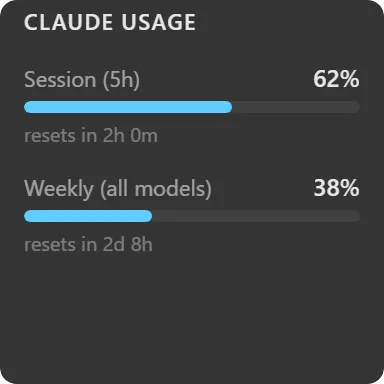
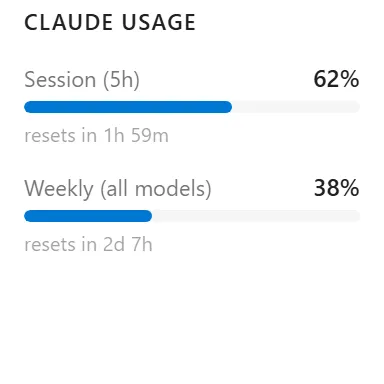
Shows how much of your Claude usage limits you have consumed, as a bar per window.
Two bars always appear: Session (5h) and Weekly (all models). Two more can be switched on: Weekly (Opus) and Weekly (Sonnet). A per-model window with no active limit shows as a 0% bar rather than disappearing, so a toggle you switched on always produces something to look at.
Each bar carries a rounded percentage and, when the window has a reset time in the future, a “resets in …” line.
Bars are colour-graded by severity: accent below 70%, amber from 70 to 89, red at 90 and above.
Where the data comes from
Anthropic’s OAuth usage endpoint, called from your machine with the access token for the Claude account you connect in the app’s settings.
Tokens are refreshed before the call when near expiry, and a rejected token triggers one forced refresh and retry, so an account invalidated early recovers by itself rather than needing you to reconnect.
If Anthropic returns a permission error the widget surfaces Anthropic’s own reason. Neither an auth failure nor a permission failure deletes your stored account.
Limits
- Usage percentages only. There is no cost breakdown, token count or per-project attribution.
- Reflects the limits of the connected account; it does not know about other accounts or team-level quotas.
- Refresh is on a timer you set, so a bar can lag your actual usage by up to that interval.